linkedin
Translate.Video logo
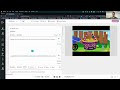
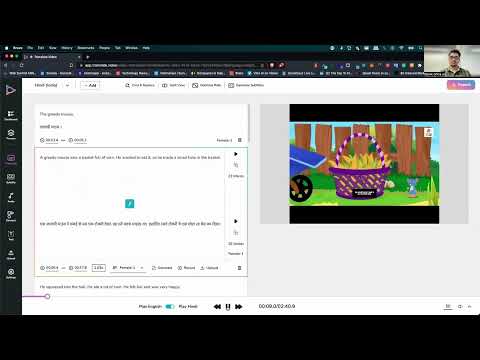
play Translate.video - Product Demo
translatevideo generate captions
translatevideo video dubbing

Translate.Video

Brand: Translate.Video

  • 4.4

  • 4 Ratings

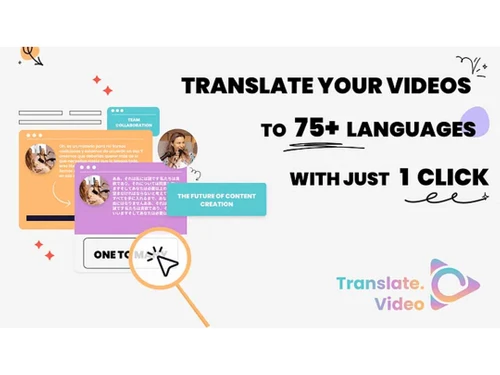
Translate your videos into more than 75+ languages using the comprehensive Translate.Video software solution.

See More

Have you used Translate.Video before?

Share your insights for better experience

Add a Review
Starting Price
₹2,385 excl.GST
₹ 2,814 incl. GST

View plans

100% Genuine
Products
Best Price
Guaranteed
Safe & Secure
Payment
  • Description

  • Pricing

  • Features

  • Specification

  • Review

  • FAQ

Starting at ₹2,385

Translate.Video Software Overview

What is Translate.Video?

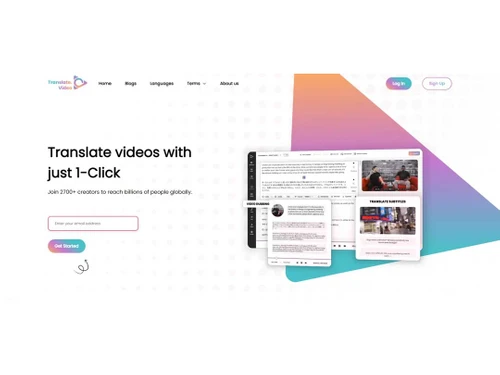
Translate.Video is a powerful tool for translating videos into 75+ languages. Its AI-powered technology helps you translate videos from a centralized location. While using this transcription software you can seamlessly translate videos in just one click to reach billions of global audiences.

You can effortlessly generate subtitles and dub videos in multiple languages to reach and grow your audience with Translate.Video, you can promote your brand, share your message, or entertain your audience easily.

Why Choose Translate.Video?

  • Language Detection: Automatically detect the language of your videos for translation.
  • Content Library: Store and manage all your translated videos in one place.
  • Machine Translation: Utilize AI-powered translation for accurate and fast results.
  • Billing & Invoicing: Easily manage your translation costs and payments.
  • Multiple Format Support: Translate videos in various file formats, including MP4, AVI, and more.
  • Text Editing: Edit text, captions, and subtitles to ensure the message is accurately conveyed.

Benefits of Translate.Video

  • Generate transcriptions and captions automatically.
  • Subtitles generation and translation.
  • Efficient dubbing with human-like voiceover.
  • Edit videos, elements, styles and more.
  • One app for editing and translating videos.

Pricing of Translate.Video

Translate.Video is priced at INR 2,384.50.

The price may vary based on factors like customization, additional features required, number of users, and the deployment type. For subscription-related details and offers on premium packages, please request a call back from our product experts.

Read more

Translate.Video Pricing & Plans

Basic
Key Features
  • Generate Captions
  • Translate Subtitle
  • Video Dubbing
  • AI Voice-over
  • Record Voice
  • Transcript
  • SRT, VTT, MP4

Calculated Price

2385 Exclusive of all taxes
    • Users

      Users
      Users
    • Monthly

      Monthly
      Monthly

Key Features

  • Generate Captions

  • Translate Subtitle

  • Video Dubbing

  • AI Voice-over

  • Record Voice

  • Transcript

  • SRT, VTT, MP4

Translate.Video Features

  • icon_check Auto-Captioning
    Uses advanced speech recognition to generate highly accurate time-synced captions for your video content in a matter of seconds.
  • icon_check SRT Export
    Allows users to download translated subtitles in standard SRT or VTT formats for use on external players and social platforms.
  • icon_check Transcript Sync
    Automatically aligns imported text transcripts with the video timeline to ensure that captions match the spoken words exactly.
  • icon_check Burn-in Captions
    Permanently embeds translated subtitles directly into the video frames to ensure they are visible on every playback device.
  • icon_check Generate Captions
    Instant closed captions generation and accessible content across platforms.
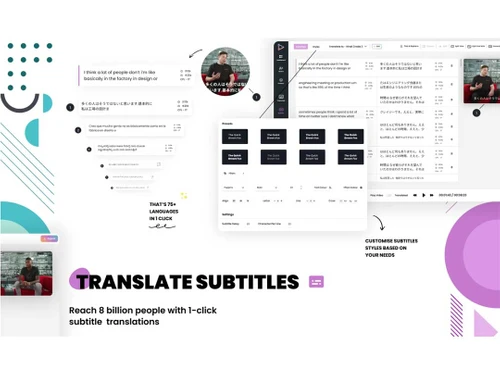
  • icon_check Translate Subtitle
    Generate and translate subtitles to multiple languages to reach a global audience. 
  • icon_check Video Dubbing
    Easily dub and translate videos to 75+ languages.
  • icon_check AI Voice-over
    Access media library for 1200+ voices for automatic voice-over generations 
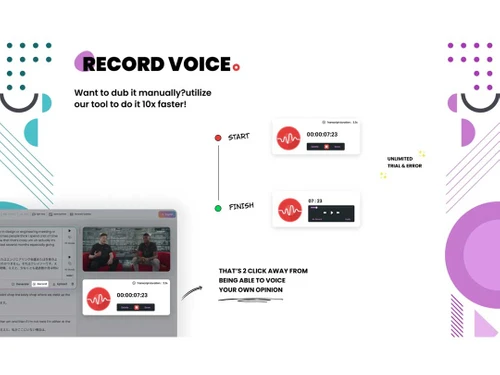
  • icon_check Record Voice
    Use advanced features and tools to seamlessly record & stitch your voice-over with videos using one 1-click.
  • icon_check Transcript
    Transcribe and translate your source videos to 75+ languages in one platform.
  • icon_check SRT, VTT, MP4
    Generate and export files on video and subtitles format like-.srt, vtt or .MP4. 
Translate.Video Demo Video play icon

Get Translate.Video Demo

Watch the demo video to explore key features, real workflows, and how the software fits your business needs.

Understand
Key Features
Personal
Demo Insights
Interactive
Demo Support

Translate.Video Specifications

Supported Platforms
Ubuntu Ubuntu Windows Windows MacOS MacOS Linux Linux
Devices
Desktop Desktop Tablet Tablet iPad iPad
Deployment
Cloud-Based Cloud-Based
Suitable For
All Industries
Business Specific
All Businesses
Business Size
Startups
Language
English

Translate.Video Review

4.4

Out of 5

img

Overall Rating

Based on
4 Verified Ratings

Rating Breakdown

  • Features 4
  • Value for Money 4.3
  • Ease of Use 4.5
  • Customer Support 4.7

100% Recommend this Product

Add Review

Techjockey Trusted Reviews from Verified Users

No reviews are currently available for Translate.Video. Discover similar Language Translation Software reviews

  • TalkPal AI

    4.4

    Whats great - Offers a range of conversation styles and easy sharing options. read more

  • ELSA Speak

    4.4

    Whats great - ELSA Speak provides encouraging feedback and helps track progress. read more

  • DeskShare Site Translator

    4.4

    Whats great - Fully offline—great for privacy and speed read more

Articles for Translate.Video

See All Related Articles

Which operating system does Translate.Video support?

Translate.Video is compatible with Windows, Linux, and MacOS operating systems.

Is there any Translate.Video app?

Translate.Video app is not available for mobile devices.

What is the deployment type of Translate.Video?

Translate.Video supports web-based deployment.

How much does Translate.Video cost?

Translate.Video pricing starts at INR 2384.50.

Who are the potential users of Translate.Video?

Translate.Video is typically used in businesses of all sizes working online.

Is there any free trial or demo for Translate.Video?

Translate.Video demo is available for free with techjockey.com.

Is Translate.Video free?

Translate.Video offers a free trial. However, the premium plan with advanced features starts at INR 2384.50.

How can you download Translate.Video?

For Translate.Video installation isn’t required as it supports web-based deployment.

How does Translate.Video work?

Translate.Video is a powerful tool for translating videos into 75+ languages. You can effortlessly generate subtitles and dub videos in multiple languages to reach and grow your audience. The language detection feature automatically detects the language of your videos for translation.

20,000+ Software Listed

Best Price Guranteed

Free Expert Consultation

2M+ Happy Customers

Terms and Condtions

close

Users with registered businesses can purchase goods from merchants on the platform to satisfy their business needs. Users are not permitted to utilize any products acquired through the platform for resale, advertising, business, or further distribution.

For each purchase made, users will receive a Tax Invoice (or 'GST invoice') that includes specific details such as:

  • the GSTIN of the user associated with their registered business, and

  • the specified Entity Name for their business.

It should be noted that not all products are eligible for GST Invoice. Only the products displayed by participating sellers with the 'GST-based Invoice Available' callout on the product description page would qualify.

Certain goods and services are not eligible to get a GST Invoice, including items with VAS, i.e., Value Added Services (e.g., Total Mobile Protection/Assured Buyback) and those involving an exchange offer at the time of purchase.

Users must ensure the accuracy of the GSTIN, and business entity name provided for the GST Invoice. Requests for corrections into GST Invoice would not be accommodated by Techjockey.com or any Seller, and any issues arising from user-provided information are the sole responsibility of users.

Techjockey.com is not liable for the GST Invoice or any associated input tax credit. To efficiently claim an input tax credit, users should select the registered place of business address as per the GST authority's data and follow the provisions of the GST Act and rules.

To claim an input tax credit, the delivery and billing addresses must match. Furthermore, input tax credits will not be granted if the delivery address and GSTIN on the invoice are from different states. In case of incorrect GST details provided during the order placement, the order will be canceled automatically.