linkedin
StaffCounter logo
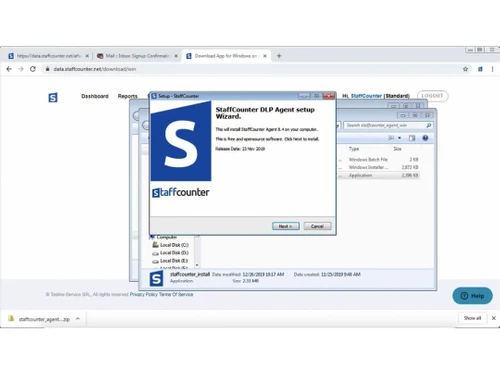
play Installing StaffCounter
staffcounter
staffcounter

StaffCounter

Brand: StaffCounter

  • 4.5

  • 4 Ratings

StaffCounter is like a helpful assistant for businesses. It helps you understand how your team is working. This can boost productivity and make sure everyone is on the right track.

See More

Have you used StaffCounter before?

Share your insights for better experience

Add a Review
Starting Price
$1

View plans

100% Genuine
Products
Best Price
Guaranteed
Safe & Secure
Payment
  • Description

  • Pricing

  • Features

  • Specification

  • Review

  • Compare

  • Alternatives

  • FAQ

Starting at $1

StaffCounter Software Overview

What is StaffCounter?

StaffCounter is a user-friendly software designed to provide businesses with valuable insights into employee activity and workflow. It acts as a helpful assistant, offering a clear picture of how employees are spending their time, which applications they are using, and what websites they are visiting during work hours. This detailed understanding of employee activity empowers businesses to identify potential areas for improvement, optimise workflows, and ensure that employees are working efficiently and productively.

StaffCounter's intuitive interface and straightforward design make it accessible to businesses of all sizes, regardless of their technical expertise. It allows managers to gain a deeper understanding of employee performance, identify potential bottlenecks, and make informed decisions regarding resource allocation and project management. This data-driven approach enables businesses to create a more productive and efficient work environment, maximising the potential of their workforce.

Why Choose StaffCounter Employee Monitoring Software?

  • Unlocking Productivity Potential: Understand how employees spend their time and identify areas for improvement. This data-driven approach allows you to optimise workflows, eliminate time-wasting activities, and encourage more efficient use of work hours.
  • Website Usage Insights: See which websites employees visit during work hours to ensure focus. By monitoring website usage, you can ensure employees are staying on task and not engaging in activities that detract from their productivity.
  • Employee Activity Monitoring: Get insights into application usage, screenshots, and even keystrokes (with proper consent and ethical considerations). This allows you to gain a deeper understanding of how employees are using company resources and identify areas for improvement or potential security risks.
  • Proactive Security Measures: Detects potentially harmful activities and protects company data. By monitoring employee activity, you can identify and prevent potential security breaches, safeguarding sensitive information and maintaining data integrity.

Benefits of StaffCounter

  • Empowering a Productive Workforce: Identify and eliminate time-wasting activities, leading to a more efficient workforce. This data-driven approach allows you to create a more productive work environment by streamlining workflows and encouraging efficient use of resources.
  • Streamlined Project Management: Track project progress, allocate resources effectively, and meet deadlines more consistently. By gaining insights into employee activity and resource utilisation, you can better manage projects, ensure tasks are completed on time, and maximise resource allocation.
  • Building a Secure Work Environment: Detects and prevents potential data breaches or insider threats. By monitoring employee activity and identifying potential security risks, you can proactively address vulnerabilities and protect your organisation from data breaches.
  • Boosting Employee Engagement: Identify and address productivity roadblocks, leading to a more engaged and satisfied team. By understanding employee challenges and providing support, you can foster a more engaged and productive workforce, creating a positive work environment.

Pricing of StaffCounter

StaffCounter pricing starts at $1 and is available at techjockey.com. The pricing model is based on different parameters, including the amount of bandwidth you need, the number of servers you need, and the features you need. For further queries related to the product, you can contact our product team and learn more about the pricing and offers.

Read more

StaffCounter Company Details

Founded Year:  2014

Employee's productivity and time tracking solution that allows you to know of what your employees are really doing on a computer or corporate smartphone.

Director/Founders Gokul Rajaram
Company Size 1-100 Employees

StaffCounter Pricing & Plans

Standard
Starting at $1
    • Users

      Users
      Users
    • Monthly

      Monthly
      Monthly

Key Features

  • All features of the Basic package

  • Adding departments

  • Screenshots (Windows, macOS, Linux)

  • Deep monitoring (Windows)

  • Statistics of Websites using

  • Gallery of screenshots(Windows, macOS, Linux)

  • Employee Activity Hours

Professional
Starting at $3
    • Users

      Users
      Users
    • Monthly

      Monthly
      Monthly

Key Features

  • All features of the Standard package

  • Webcam (Windows, macOS)

  • Gallery of Screenshot/(Windows, macOS, Linux)

  • Surrounded Sound Recording(Windows, MacOS)

  • Extended data storage volume and time

StaffCounter Features

  • icon_check Data Collection
    Gather comprehensive data on employee computer activity.
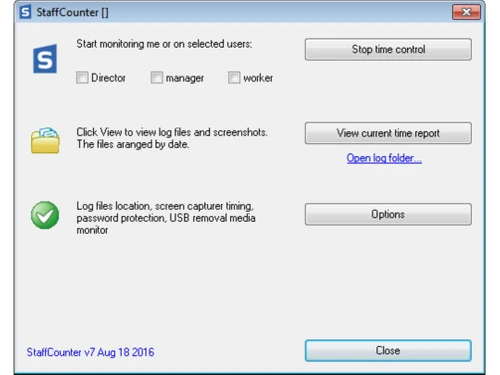
  • icon_check Short-term Suspension of Monitoring
    Pause monitoring when needed, respecting employee privacy.
  • icon_check Employee Activity
    Monitor application usage, website visits, and more.
  • icon_check Screenshots
    Capture periodic screenshots to gain visual insights into work activities.
  • icon_check Text Analytics
    Analyse text data to understand communication patterns and content.
  • icon_check Skype Monitoring
    Track Skype conversations for compliance or quality assurance purposes.
  • icon_check Audio Recording
    Record audio (with proper consent and legal considerations) for specific monitoring needs.
  • icon_check Website Monitoring
    Track website usage to ensure productivity and appropriate online behaviour.
  • icon_check Reports
    Generate detailed reports to analyse data and identify trends.
  • icon_check Increase Productivity
    Use insights to optimise workflows and boost efficiency.
  • icon_check End-to-End Encryption
    Securely transmit and store data to protect sensitive information.
StaffCounter Demo Video play icon

Get StaffCounter Demo

Watch the demo video to explore key features, real workflows, and how the software fits your business needs.

Understand
Key Features
Personal
Demo Insights
Interactive
Demo Support

StaffCounter Specifications

Supported Platforms
Windows Windows Android Android MacOS MacOS Linux Linux
Devices
Desktop Desktop Mobile Mobile Tablet Tablet
Deployment
Cloud-Based Cloud-Based
Suitable For
All Industries
Business Specific
All Businesses
Business Size
Small Business Startups Medium Business SMBs
Customer Support
Email Communities
Language
English
Training Resources
Videos

Explore the Best Alternative Solutions Similar to Your Business Size and Needs

StaffCounter Review

4.5

Out of 5

img

Overall Rating

Based on
4 Verified Ratings

Rating Breakdown

  • Features 4.3
  • Value for Money 4.6
  • Ease of Use 4.6
  • Customer Support 4.3

90% Recommend this Product

Add Review

Techjockey Trusted Reviews from Verified Users

No reviews are currently available for StaffCounter. Discover similar Employee Monitoring Software reviews
  • WorkTime

    4.7

    Whats great - Great piece of kit with support team that’s a lifesaver and their response time is super fast. Major plus for me. read more
  • Mera Work

    5.0

    Whats great - User-friendly interface read more

  • DeskTrack

    5.0

    Whats great - Best DeskTrack Employee Monitoring Software, I am using nearly 1 year. support is good, our employees' activities are tracked... read more

Compare StaffCounter With other Employee Monitoring Software

Products
Ratings
Pricing
Device Supported
Deployment
Supported Platforms
  • img

    StaffCounter

  • 4.5

  • Price On Request

  • Desktop

    Mobile

  • Web based

    On Premises

  • Windows

    Mac OS

  • img

    DeskTrack

  • 4.9

  • Price On Request

  • Desktop

    Mobile

  • Web based

    On Premises

  • Windows

    Mac OS

  • img

    WorkWitness

  • 4.8

  • Price On Request

  • Desktop

    Mobile

  • Web based

    On Premises

  • Windows

    Mac OS

  • img

    We360 ai

  • 5

  • ₹ 399

  • Desktop

    Mobile

  • Web based

    On Premises

  • Windows

    Mac OS

  • img

    Mera Work

  • 4.9

  • ₹ 325

  • Desktop

    Mobile

  • Web based

    On Premises

  • Windows

    Mac OS

  • img

    Time Champ

  • 4.7

  • ₹ 200

  • Desktop

    Mobile

  • Web based

    On Premises

  • Windows

    Mac OS

  • img

    Hoverwatch

  • 4.4

  • Price On Request

  • Desktop

    Mobile

  • Web based

    On Premises

  • Windows

    Mac OS

  • img

    Twib

  • 4.7

  • ₹ 199

  • Desktop

    Mobile

  • Web based

    On Premises

  • Windows

    Mac OS

  • img

    TheOneSpy

  • 4.2

  • Price On Request

  • Desktop

    Mobile

  • Web based

    On Premises

  • Windows

    Mac OS

  • img

    WorkTrack

  • 4.1

  • ₹ 299

  • Desktop

    Mobile

  • Web based

    On Premises

  • Windows

    Mac OS

  • img

    TeamTrace

  • 4.9

  • Price On Request

  • Desktop

    Mobile

  • Web based

    On Premises

  • Windows

    Mac OS

(0) Product(s) selected

StaffCounter Alternatives

See All StaffCounter Alternatives

Starting Price:

$30 /Month

Starting Price:

$29 /Month

Starting Price:

₹299 /Month

Starting Price:

$4 User/Month

Starting Price:

$8 /User/Month

Articles for StaffCounter

See All Related Articles

Is there any StaffCounter Employee Monitoring Software App?

StaffCounter has an app available for Android users. You can contact our product experts at techjockey for more information.

How much does StaffCounter Software Platform Cost?

StaffCounter software pricing starts at $1 at techjockey.com.

How secure is StaffCounter?

StaffCounter prioritises data security with its end-to-end encryption feature. This ensures that all data transmitted and stored within the system is protected from unauthorised access, safeguarding sensitive employee information and maintaining privacy.

What features does StaffCounter offer?

StaffCounter offers features like Data Collection, Short-term Suspension of Monitoring, Employee Activity, Screenshots, Text Analytics, Skype Monitoring, Audio Recording, Website Monitoring, Reports, Increase Productivity, and End-to-End Encryption. You can contact our product experts for more information.

Which operating system does StaffCounter Software Support?

StaffCounter software supports Windows, Android, MacOS, and Linux operating systems.

Does StaffCounter offer a free trial or a demo?

Contact techjockey.com to explore trial options for StaffCounter. They can provide information about available testing periods.

Who are the potential users of StaffCounter Software?

Human resource departments can utilise StaffCounter to monitor employee activity, ensuring adherence to company policies and procedures. Team leaders and project managers can use StaffCounter to track project progress, identify potential bottlenecks, and optimise team productivity.

Is StaffCounter suitable for small businesses?

Yes, StaffCounter is suitable for small businesses. It offers an affordable and easy-to-use solution for monitoring employee activity and improving productivity.

How does StaffCounter software Work?

StaffCounter is an employee monitoring software that allows businesses to track employee activity on their computers. It can track websites visited, applications used, screenshots taken, and even keystrokes typed. This information can be used to improve productivity, identify security risks, and ensure that employees are adhering to company policies.

20,000+ Software Listed

Best Price Guranteed

Free Expert Consultation

2M+ Happy Customers

Terms and Condtions

close

Users with registered businesses can purchase goods from merchants on the platform to satisfy their business needs. Users are not permitted to utilize any products acquired through the platform for resale, advertising, business, or further distribution.

For each purchase made, users will receive a Tax Invoice (or 'GST invoice') that includes specific details such as:

  • the GSTIN of the user associated with their registered business, and

  • the specified Entity Name for their business.

It should be noted that not all products are eligible for GST Invoice. Only the products displayed by participating sellers with the 'GST-based Invoice Available' callout on the product description page would qualify.

Certain goods and services are not eligible to get a GST Invoice, including items with VAS, i.e., Value Added Services (e.g., Total Mobile Protection/Assured Buyback) and those involving an exchange offer at the time of purchase.

Users must ensure the accuracy of the GSTIN, and business entity name provided for the GST Invoice. Requests for corrections into GST Invoice would not be accommodated by Techjockey.com or any Seller, and any issues arising from user-provided information are the sole responsibility of users.

Techjockey.com is not liable for the GST Invoice or any associated input tax credit. To efficiently claim an input tax credit, users should select the registered place of business address as per the GST authority's data and follow the provisions of the GST Act and rules.

To claim an input tax credit, the delivery and billing addresses must match. Furthermore, input tax credits will not be granted if the delivery address and GSTIN on the invoice are from different states. In case of incorrect GST details provided during the order placement, the order will be canceled automatically.