linkedin
SOFTWater logo
softwater-billing-invoicing
softwater collection management
softwater-metered-billing

SOFTWater

Brand: Intedata Systems

  • 4.1

  • 3 Ratings

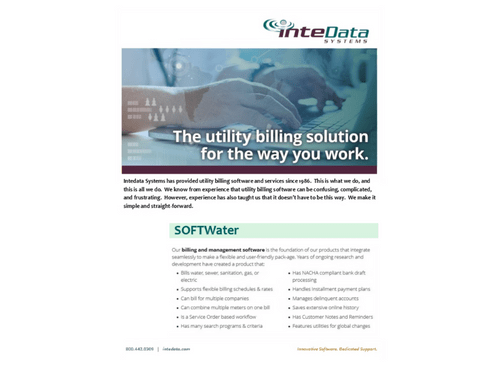
SOFTWater is a comprehensive utility billing software developed by InteData Systems to handle a wide range of utility services, including water, sewer, sanitation, gas, and electricity.

See More

Have you used SOFTWater before?

Share your insights for better experience

Add a Review

Price Available on Request

Questions about pricing or customization? We’re here to help, just a click away.

100% Genuine
Products
Best Price
Guaranteed
Safe & Secure
Payment
  • Description

  • Pricing

  • Features

  • Specification

  • Review

  • Compare

  • Alternatives

  • FAQ

SOFTWater Software Overview

What is SOFTWater?

SOFTWater is a comprehensive utility billing software developed by InteData Systems. With over 30 years of experience, SOFTWater is a leader in the utility billing field and has helped utilities manage their billing operations with ease and efficiency. The software is designed to handle a wide range of utility services, including water, sewer, sanitation, gas, and electricity, and can accommodate metered and unmetered billing.

With its powerful features, intuitive interface, and integration with other products in the SOFTSuite Total Solution, SOFTWater offers a flexible and user-friendly solution for utilities looking to modernize their billing processes.

Key Functionalities of SOFTWater Utility Billing Software

  • Supports billing for water, sewer, sanitation, gas, electricity, and other recurring charges.
  • Offers flexible billing schedules and rates to meet the specific needs of each utility.
  • It enables billing for multiple companies, making it an excellent solution for utilities with multiple branches or locations.
  • Allows combining multiple meters on a single bill, providing a more streamlined billing process.
  • Offers a service order-based workflow to streamline and automate billing operations.
  • Offers to create postcard or custom letter bills with the flexibility to present your bills in formats that best suit your needs.
  • Offers free data protection of customer, location, and system history through secure backups to a remote site.

What are the Benefits of SOFTWater Utility Billing Software?

  • Simplifies your billing tasks, making your job easier and more efficient.
  • The software eliminates manual operations and reduces time and effort for billing.
  • Traps errors as they are entered to ensure your data is accurate and up to date.
  • It processes information in real-time, so you access the most up-to-date information and make quicker decisions.
  • It provides a visually appealing data display making it easier to understand and analyze your billing data.

SOFTWater Pricing:

SOFTWater is available on request at techjockey.com.

The price may vary based on customization, additional features required, the number of users, and the deployment type. For subscription-related details and offers on premium packages, please request a call back from our product experts.

Read more

SOFTWater Pricing & Plans

Looking for The Right Pricing?

Share your requirements and get a plan built around your business.

  • Define your business needs
  • Get customised pricing
  • Choose features that fit your workflow

Price Available on Request

Get personalised SOFTWater pricing that fits your needs. Our team will connect with you.

SOFTWater Features

  • icon_check Billing & Invoicing
    Provides automated billing and invoicing generation as per data fed into the system.
  • icon_check Customer Management
    Helps manage customer information and billing functions for various utility services like water, gas & more.
  • icon_check Metered Billing
    A pricing model that bills customers based on the usage of actual consumption or service used.
  • icon_check Postcard Bill Forms
    Call, email, or fill out the form to get postcard bill forms available in 4 colors, including lavender, blue, pink, and green.
  • icon_check Meter Data Management
    Streamline data capture and synchronize them across the utility system for all your installed meters.

SOFTWater Specifications

Supported Platforms
Windows Windows Linux Linux
Devices
Desktop Desktop
Deployment
Cloud-Based Cloud-Based
Suitable For
All Industries
Business Specific
All Businesses
Business Size
Small Business Startups Medium Business SMBs SMEs MSMBs
Language
English

SOFTWater Review

4.1

Out of 5

img

Overall Rating

Based on
3 Verified Ratings

Rating Breakdown

  • Features 3.8
  • Value for Money 4.8
  • Ease of Use 4.1
  • Customer Support 3.6

90% Recommend this Product

Add Review

Be the First to Review

This product has no reviews yet. Be the first to leave your feedback.

Add Review

Compare SOFTWater With other Utility Billing Software

Products
Ratings
Pricing
Device Supported
Deployment
Supported Platforms
  • img

    SOFTWater

  • 4.1

  • Price On Request

  • Desktop

    Mobile

  • Web based

    On Premises

  • Windows

    Mac OS

  • img

    cogsdale cis

  • 4.1

  • Price On Request

  • Desktop

    Mobile

  • Web based

    On Premises

  • Windows

    Mac OS

  • img

    Smart Dalal

  • 4.2

  • Price On Request

  • Desktop

    Mobile

  • Web based

    On Premises

  • Windows

    Mac OS

  • img

    TheBillingBook

  • 4.2

  • Price On Request

  • Desktop

    Mobile

  • Web based

    On Premises

  • Windows

    Mac OS

  • img

    Utilibill

  • 4.1

  • Price On Request

  • Desktop

    Mobile

  • Web based

    On Premises

  • Windows

    Mac OS

(0) Product(s) selected

SOFTWater Alternatives

See All SOFTWater Alternatives

Available

Price on Request

Articles for SOFTWater

See All Related Articles

Which operating system does SOFTWater utility billing software support?

SOFTWater utility billing software is compatible with Windows and Linux operating systems.

Is there SOFTWater app available?

No, SOFTWater app is not available.

What is the deployment type of SOFTWater?

SOFTWater supports web-based deployment type.

How much does SOFTWater utility billing software cost?

SOFTWater utility billing software is available on request at techjockey.com.

Who are the potential users of SOFTWater?

SOFTWater is typically used by the utility company that bills the customers for utility services like gas, water, electricity, etc.

Is there any free trial or demo for SOFTWater utility billing software?

SOFTWater utility billing software demo is available for free with techjockey.com.

Is SOFTWater free?

SOFTWater offers a free trial. However, the premium plan with advanced features is available on request at techjockey.com.

How can you download SOFTWater?

SOFTWater installation is not required, as it is web-based. Just open the Setup Wizard to get started.

20,000+ Software Listed

Best Price Guranteed

Free Expert Consultation

2M+ Happy Customers

Terms and Condtions

close

Users with registered businesses can purchase goods from merchants on the platform to satisfy their business needs. Users are not permitted to utilize any products acquired through the platform for resale, advertising, business, or further distribution.

For each purchase made, users will receive a Tax Invoice (or 'GST invoice') that includes specific details such as:

  • the GSTIN of the user associated with their registered business, and

  • the specified Entity Name for their business.

It should be noted that not all products are eligible for GST Invoice. Only the products displayed by participating sellers with the 'GST-based Invoice Available' callout on the product description page would qualify.

Certain goods and services are not eligible to get a GST Invoice, including items with VAS, i.e., Value Added Services (e.g., Total Mobile Protection/Assured Buyback) and those involving an exchange offer at the time of purchase.

Users must ensure the accuracy of the GSTIN, and business entity name provided for the GST Invoice. Requests for corrections into GST Invoice would not be accommodated by Techjockey.com or any Seller, and any issues arising from user-provided information are the sole responsibility of users.

Techjockey.com is not liable for the GST Invoice or any associated input tax credit. To efficiently claim an input tax credit, users should select the registered place of business address as per the GST authority's data and follow the provisions of the GST Act and rules.

To claim an input tax credit, the delivery and billing addresses must match. Furthermore, input tax credits will not be granted if the delivery address and GSTIN on the invoice are from different states. In case of incorrect GST details provided during the order placement, the order will be canceled automatically.