 USA
USA UAE
UAESmall Business
Designed for startups and growing businesses


See More


Brand: School Campus 365
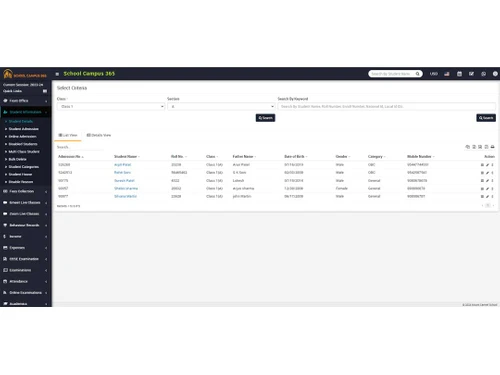
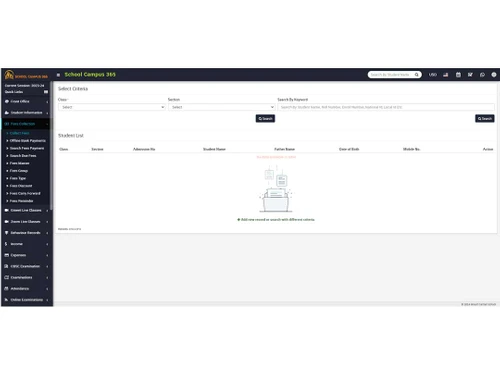
School Campus 365 is a comprehensive school management software that helps schools manage various aspects of their operations, including student information, attendance, fees, and assessments.
See MoreHave you used School Campus 365 before?
Share your insights for better experience
Brand: School Campus 365
Founded Year: 2024
SchoolCampus365 is a top-notch software used by schools worldwide. It's customizable and packed with useful features like SMS, online payments, vehicle tracking, online exams, a mobile app, and biometric and barcode capabilities.
 Hostel Management Institute Management Student Management Fee Management Assessment Management Time Table Management Certificates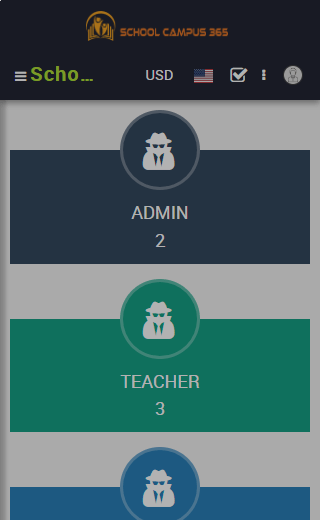
 Ubuntu
  Windows
  iOS
iOS  Android MacOS Windows(Phone)
  Desktop
  Mobile
  Cloud-Based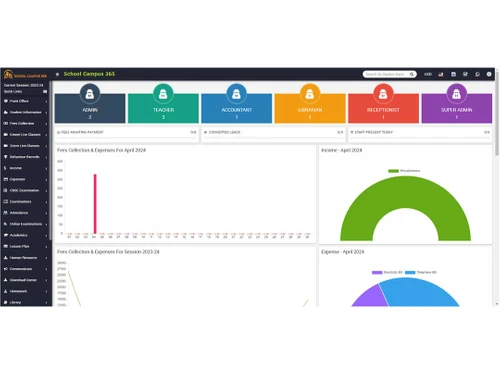
Small Business
Designed for startups and growing businesses
Medium Business
Built for business growth and flexibility
Enterprises
Designed for complex and large-scale business needs
4.1
Out of 5

Overall Rating
Based on
5 Verified Ratings
Rating Breakdown
92% Recommend this Product
Add ReviewThis product has no reviews yet. Be the first to leave your feedback.
Add Review
School Campus 365
₹ 5000.00 excl. GST
Desktop
Mobile
Web based
On Premises
Windows
Mac OS
Vedcool
₹ 11000
Desktop
Mobile
Web based
On Premises
Windows
Mac OS

School Magica
₹ 20000
Desktop
Mobile
Web based
On Premises
Windows
Mac OS

Edunext School ERP
Price On Request
Desktop
Mobile
Web based
On Premises
Windows
Mac OS

E-School ERP
₹ 40000
Desktop
Mobile
Web based
On Premises
Windows
Mac OS

Edu Manage Plus
₹ 18
Desktop
Mobile
Web based
On Premises
Windows
Mac OS

Gati School ERP
Price On Request
Desktop
Mobile
Web based
On Premises
Windows
Mac OS
EduOpus
Price On Request
Desktop
Mobile
Web based
On Premises
Windows
Mac OS

SchoolEZY
₹ 25000
Desktop
Mobile
Web based
On Premises
Windows
Mac OS

Ranndass School ERP
Price On Request
Desktop
Mobile
Web based
On Premises
Windows
Mac OS

MyAppClass
₹ 11999
Desktop
Mobile
Web based
On Premises
Windows
Mac OS
(0) Product(s) selected
Available
Price on Request
Available
Price on Request
Available
Price on Request
Available
Price on Request

Available
Price on Request
Starting Price:
₹180 /Month
Available
Price on Request

Available
Price on Request

Starting Price:
₹12,000 /Year

Starting Price:
₹5,000 /Year

Available
Price on Request





School Campus 365 is a comprehensive school management system that automates administrative and academic tasks like admissions, fees, payroll, exams, attendance, and more. It provides integrated features accessible through web and mobile apps.
Yes, School Campus 365 offers iOS and Android mobile apps for parents and students to access features like attendance, fees, notifications, and more on-the-go.
School Campus 365 is designed for K-12 schools, universities, higher education institutions, and training institutes. It caters to administrators, teachers, students, and parents.
School Campus 365 is a web-based system accessible through browsers on Windows, macOS, Android, and iOS devices. o software installation is required.
School Campus 365 offers a 7-day free trial to explore the features before committing to a paid plan. You can also contact techjockey.com for further information about pricing plans.
School Campus 365 pricing starts at IR5999 per month when billed yearly for institutes with less than 300 students. Custom pricing is available for larger institutions.
School Campus 365 is specifically designed for the education industry, catering to K-12 schools, universities, and training institutes of various sizes.
20,000+ Software Listed
Best Price Guranteed
Free Expert Consultation
2M+ Happy Customers
Terms and Condtions

Users with registered businesses can purchase goods from merchants on the platform to satisfy their business needs. Users are not permitted to utilize any products acquired through the platform for resale, advertising, business, or further distribution.
For each purchase made, users will receive a Tax Invoice (or 'GST invoice') that includes specific details such as:
the GSTIN of the user associated with their registered business, and
the specified Entity Name for their business.
It should be noted that not all products are eligible for GST Invoice. Only the products displayed by participating sellers with the 'GST-based Invoice Available' callout on the product description page would qualify.
Certain goods and services are not eligible to get a GST Invoice, including items with VAS, i.e., Value Added Services (e.g., Total Mobile Protection/Assured Buyback) and those involving an exchange offer at the time of purchase.
Users must ensure the accuracy of the GSTIN, and business entity name provided for the GST Invoice. Requests for corrections into GST Invoice would not be accommodated by Techjockey.com or any Seller, and any issues arising from user-provided information are the sole responsibility of users.
Techjockey.com is not liable for the GST Invoice or any associated input tax credit. To efficiently claim an input tax credit, users should select the registered place of business address as per the GST authority's data and follow the provisions of the GST Act and rules.
To claim an input tax credit, the delivery and billing addresses must match. Furthermore, input tax credits will not be granted if the delivery address and GSTIN on the invoice are from different states. In case of incorrect GST details provided during the order placement, the order will be canceled automatically.


