linkedin
RockWorks logo
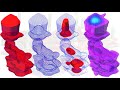
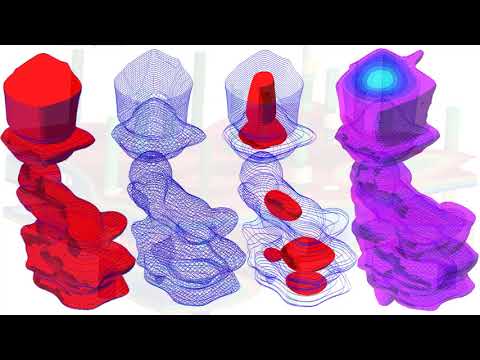
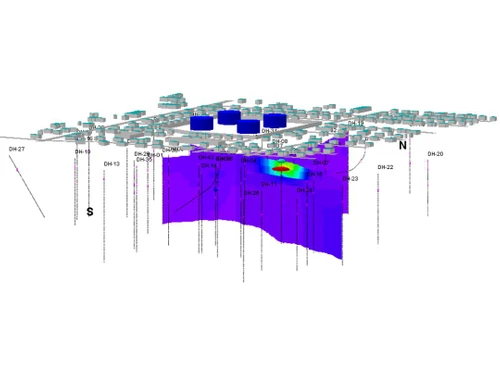
play RockWorks - Examples of Graphic Output
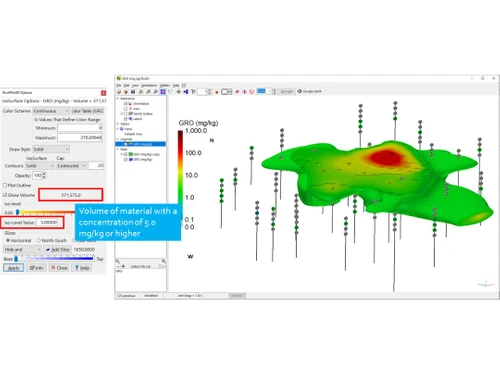
RockWorks Dashboard
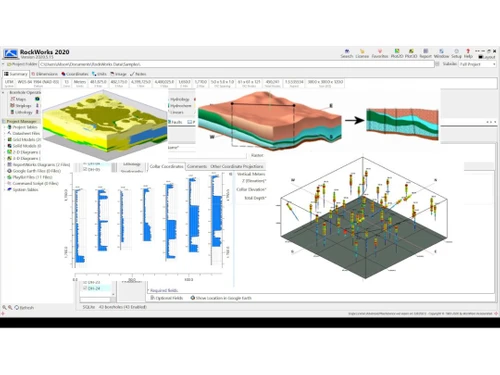
RockWorks Diagrams

RockWorks

Brand: RockWare

  • 4.6

  • 4 Ratings

RockWorks is geological modelling software for geologists and mining professionals as it offers features for 3D modelling, data import/export, 3D visualisation, subsurface characterization, and animation, making it an essential tool for geological modelling.

See More

Have you used RockWorks before?

Share your insights for better experience

Add a Review
Starting Price
$1500

View plans

100% Genuine
Products
Best Price
Guaranteed
Safe & Secure
Payment
  • Description

  • Pricing

  • Features

  • Specification

  • Review

  • Compare

  • FAQ

Starting at $1,500

RockWorks Software Overview

What is RockWorks?

RockWorks is a comprehensive 3D geological modelling and visualization software designed for geologists, hydrologists, and engineers. It enables users to create detailed geological models, visualize subsurface data, and analyze geological structures.

RockWorks is a powerful, integrated software solution designed for geologists, hydrologists, and engineers seeking to explore, analyze, and model subsurface geological data. Developed by Earth Software, this comprehensive 3D geological modelling and visualisation tool enables users to create intricate geological models, visualize complex data sets, and perform in-depth geological analysis.

Why Choose RockWorks Software?

  • Comprehensive Geological Modelling: RockWorks offers a complete suite of tools for creating detailed, accurate 3D geological models, ensuring a thorough understanding of the subsurface geology.
  • Extensive Data Visualization: Visualize geological data in various formats, including 3D models, cross-sections, and maps, to effectively communicate complex geological concepts to stakeholders and clients.
  • Advanced Analysis Tools: Perform sophisticated geological analysis, such as stratigraphic, hydrogeological, and geotechnical analysis, using RockWorks' powerful tools.
  • User-Friendly Interface: RockWorks boasts an intuitive and user-friendly interface that simplifies the learning process and makes it easy to use, even for those new to geological modelling and analysis.

Benefits of RockWorks Platform

  • Improved Decision-Making: RockWorks empowers geologists and engineers to make informed decisions by providing accurate and detailed geological models and insights into subsurface geological features.
  • Enhanced Communication: Effectively communicate complex geological data to clients and stakeholders through clear and concise visualizations, enabling better understanding and collaboration.
  • Increased Efficiency: Streamline geological modelling and analysis workflows with RockWorks' robust tools and automation features, saving valuable time and resources.
  • Reduced Costs: Optimize project costs by utilizing RockWorks to efficiently complete geological modelling and analysis projects, ensuring that resources are allocated effectively and productively.

Pricing of RockWorks Groundwater Modelling Software

RockWorks pricing starts from $1500 at techjockey.com.

The pricing model is based on different parameters, including extra features, deployment type, and the total number of users. For further queries related to the product, you can contact our product team and learn more about the pricing and offers.

Read more

RockWare Company Details

Founded Year:  1983

RockWare Earth science software sales, consulting and training.

Director/Founders Thomas Reed
Company Size 1-100 Employees

RockWorks Pricing & Plans

Basic Level
Key Features
  • 3D Modeling
  • Data Import/Export
  • 3D Visualization
  • Subsurface Characterization
  • Animation
Starting at $1500
    • Users

      Users
      Users

Key Features

  • 3D Modeling

  • Data Import/Export

  • 3D Visualization

  • Subsurface Characterization

  • Animation

RockWorks Features

  • icon_check 3D Modeling
    Create and edit complex geological models in 3D.
  • icon_check Data Import/Export
    Import and export data from a variety of file formats.
  • icon_check 3D Visualization
    Create stunning 3D models and animations.
  • icon_check Analytics & Reporting
    Analyze geological and hydrogeological data and generate reports.
  • icon_check Subsurface Characterization
    Characterize the subsurface using kriging, contouring, and volume calculations.
  • icon_check Animation
    Create animations of geological and hydrogeological processes.
  • icon_check Diagrams
    Create a variety of diagrams, including stratigraphic columns, well logs, and potentiometric surface maps.
RockWorks Demo Video play icon

Get RockWorks Demo

Watch the demo video to explore key features, real workflows, and how the software fits your business needs.

Understand
Key Features
Personal
Demo Insights
Interactive
Demo Support

RockWorks Specification

Supported Platforms
Ubuntu Ubuntu Windows Windows MacOS MacOS Linux Linux
Devices
Desktop Desktop
Deployment
Web-Based Web-Based
Suitable For
All Industries
Business Specific
All Businesses
Business Size
Small Business Medium Business Enterprises
Customer Support
Email Communities
Language
English
Training Resources
Videos

Explore the Best Alternative Solutions Similar to Your Business Size and Needs

RockWorks Review

4.6

Out of 5

img

Overall Rating

Based on
4 Verified Ratings

Rating Breakdown

  • Features 4.2
  • Value for Money 4.7
  • Ease of Use 4.5
  • Customer Support 5

87% Recommend this Product

Add Review

Be the First to Review

This product has no reviews yet. Be the first to leave your feedback.

Add Review

Compare RockWorks With other Groundwater Modeling Software

Products
Ratings
Pricing
Device Supported
Deployment
Supported Platforms
  • img

    RockWorks

  • 4.6

  • Price On Request

  • Desktop

    Mobile

  • Web based

    On Premises

  • Windows

    Mac OS

  • img

    AqQA

  • 4.5

  • Price On Request

  • Desktop

    Mobile

  • Web based

    On Premises

  • Windows

    Mac OS

  • img

    LogPlot

  • 4.5

  • Price On Request

  • Desktop

    Mobile

  • Web based

    On Premises

  • Windows

    Mac OS

  • img

    Aquaveo GMS

  • 4.1

  • Price On Request

  • Desktop

    Mobile

  • Web based

    On Premises

  • Windows

    Mac OS

  • img

    Feflow

  • 4.2

  • Price On Request

  • Desktop

    Mobile

  • Web based

    On Premises

  • Windows

    Mac OS

  • img

    GuardCenter Info

  • 4.2

  • Price On Request

  • Desktop

    Mobile

  • Web based

    On Premises

  • Windows

    Mac OS

  • img

    Pure Pani

  • 4.1

  • Price On Request

  • Desktop

    Mobile

  • Web based

    On Premises

  • Windows

    Mac OS

  • img

    Brgm MARTHE

  • 4.0

  • Price On Request

  • Desktop

    Mobile

  • Web based

    On Premises

  • Windows

    Mac OS

  • img

    Deltares iMOD

  • 4.0

  • Price On Request

  • Desktop

    Mobile

  • Web based

    On Premises

  • Windows

    Mac OS

(0) Product(s) selected

Which operating systems support RockWorks software?

RockWorks supports Windows operating systems and macOS device systems.

Is there a RockWorks software app?

RockWorks is not available for Android and iOS devices.

What is the deployment type of RockWorks software?

RockWorks software supports on-premises deployment.

Who are the potential users of RockWorks software?

RockWorks is designed for geologists, hydrologists, and engineers who create 3D geological models, visualise subsurface data, and analyse geological structures.

Is there any free trial or demo for RockWorks software?

Yes, a free demo of RockWorks software is available at techjockey.com.

Is RockWorks software free?

No, RockWorks is not free software. However, you can contact the experts to learn more about the pricing plans.

How can you download RockWorks software?

For RockWorks software installation, you can go directly to Techjockey’s official website and buy this solution. Once purchased, you will receive a key to download the same via email.

How does RockWorks software work?

RockWorks allows users to create 3D geological models from various data sources, visualise subsurface data, and perform geological analysis.

20,000+ Software Listed

Best Price Guranteed

Free Expert Consultation

2M+ Happy Customers

Terms and Condtions

close

Users with registered businesses can purchase goods from merchants on the platform to satisfy their business needs. Users are not permitted to utilize any products acquired through the platform for resale, advertising, business, or further distribution.

For each purchase made, users will receive a Tax Invoice (or 'GST invoice') that includes specific details such as:

  • the GSTIN of the user associated with their registered business, and

  • the specified Entity Name for their business.

It should be noted that not all products are eligible for GST Invoice. Only the products displayed by participating sellers with the 'GST-based Invoice Available' callout on the product description page would qualify.

Certain goods and services are not eligible to get a GST Invoice, including items with VAS, i.e., Value Added Services (e.g., Total Mobile Protection/Assured Buyback) and those involving an exchange offer at the time of purchase.

Users must ensure the accuracy of the GSTIN, and business entity name provided for the GST Invoice. Requests for corrections into GST Invoice would not be accommodated by Techjockey.com or any Seller, and any issues arising from user-provided information are the sole responsibility of users.

Techjockey.com is not liable for the GST Invoice or any associated input tax credit. To efficiently claim an input tax credit, users should select the registered place of business address as per the GST authority's data and follow the provisions of the GST Act and rules.

To claim an input tax credit, the delivery and billing addresses must match. Furthermore, input tax credits will not be granted if the delivery address and GSTIN on the invoice are from different states. In case of incorrect GST details provided during the order placement, the order will be canceled automatically.