Description
Pricing
Features
Specification
Review
Compare
FAQs
Alternatives
 Get Free Advice
Get Quote


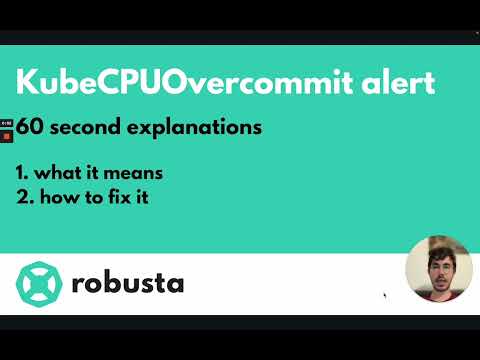
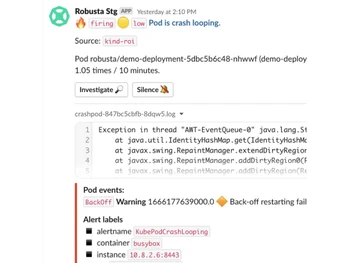
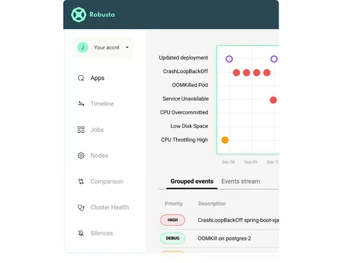


Brand : Robusta


4.3 
3 Ratings
Have Questions?
Price On Request
Save Extra with 2 Offers
 Save upto 18%, Get GST Invoice on your business purchase |
Users with registered businesses can purchase goods from merchants on the platform to satisfy their business needs. Users are not permitted to utilize any products acquired through the platform for resale, advertising, business, or further distribution.
For each purchase made, users will receive a Tax Invoice (or 'GST invoice') that includes specific details such as:
the GSTIN of the user associated with their registered business, and
the specified Entity Name for their business.
It should be noted that not all products are eligible for GST Invoice. Only the products displayed by participating sellers with the 'GST-based Invoice Available' callout on the product description page would qualify.
Certain goods and services are not eligible to get a GST Invoice, including items with VAS, i.e., Value Added Services (e.g., Total Mobile Protection/Assured Buyback) and those involving an exchange offer at the time of purchase.
Users must ensure the accuracy of the GSTIN, and business entity name provided for the GST Invoice. Requests for corrections into GST Invoice would not be accommodated by Techjockey.com or any Seller, and any issues arising from user-provided information are the sole responsibility of users.
Techjockey.com is not liable for the GST Invoice or any associated input tax credit. To efficiently claim an input tax credit, users should select the registered place of business address as per the GST authority's data and follow the provisions of the GST Act and rules.
To claim an input tax credit, the delivery and billing addresses must match. Furthermore, input tax credits will not be granted if the delivery address and GSTIN on the invoice are from different states. In case of incorrect GST details provided during the order placement, the order will be canceled automatically.
Buy Now & Pay Later, Check offer on payment page. Robusta offers features like multi-cluster operations, change tracking, and robust integrations, making it an essential tool for enterprise-level support and security....Read more
 Get Instant Expert
  Safe & Secure
  Assured Best Price
 We make it happen! Get your hands on the best solution based on your needs.
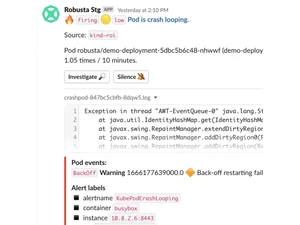
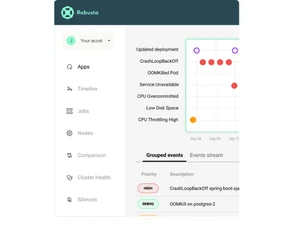
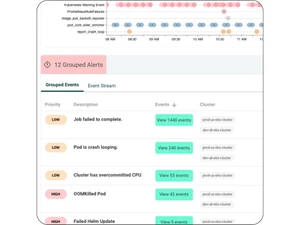
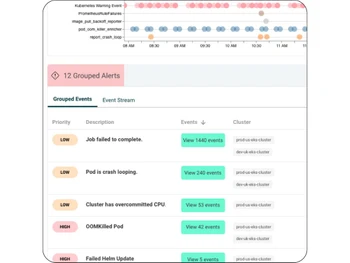
 Multi Cluster Operations Manage and monitor multiple clusters from a single platform, streamlining operations and improving efficiency. Change Tracking Keep a detailed log of changes within your system, helping you track modifications and maintain security. Slack community support Join a community of users on Slack to share experiences, get advice, and find solutions to common problems. Integrations Robusta integrates with a variety of tools, enhancing its capabilities and ensuring seamless workflows. Alerts & Notifications Set up customizable alerts and notifications to stay informed about critical system events in real-time. Event history Access a comprehensive history of events to troubleshoot issues and understand system behavior over time. Single Sign On Utilize single sign-on for enhanced security and simplified user management. Enterprise grade support Benefit from professional support designed to meet the needs of large organizations, ensuring reliable and timely assistance.
 | Brand Name | Robusta |
| Information | Robusta |
| Founded Year | 2021 |
| Director/Founders | Arik Alon, Natan Yellin |
| Company Size | 1-100 Employees |


 20,000+ Software Listed
 Best Price Guaranteed
 Free Expert Consultation
 2M+ Happy Customers
 USA
USA UAE
UAE