Description
Pricing
Features
Specification
Review
Compare
FAQs
Alternatives
 Get Free Advice
Get Quote





Brand : MeshMellow


3.2 
1 Rating & 1 Review
Have Questions?
Starting at
$ 70
Save Extra with 2 Offers
 Save upto 18%, Get GST Invoice on your business purchase |
Users with registered businesses can purchase goods from merchants on the platform to satisfy their business needs. Users are not permitted to utilize any products acquired through the platform for resale, advertising, business, or further distribution.
For each purchase made, users will receive a Tax Invoice (or 'GST invoice') that includes specific details such as:
the GSTIN of the user associated with their registered business, and
the specified Entity Name for their business.
It should be noted that not all products are eligible for GST Invoice. Only the products displayed by participating sellers with the 'GST-based Invoice Available' callout on the product description page would qualify.
Certain goods and services are not eligible to get a GST Invoice, including items with VAS, i.e., Value Added Services (e.g., Total Mobile Protection/Assured Buyback) and those involving an exchange offer at the time of purchase.
Users must ensure the accuracy of the GSTIN, and business entity name provided for the GST Invoice. Requests for corrections into GST Invoice would not be accommodated by Techjockey.com or any Seller, and any issues arising from user-provided information are the sole responsibility of users.
Techjockey.com is not liable for the GST Invoice or any associated input tax credit. To efficiently claim an input tax credit, users should select the registered place of business address as per the GST authority's data and follow the provisions of the GST Act and rules.
To claim an input tax credit, the delivery and billing addresses must match. Furthermore, input tax credits will not be granted if the delivery address and GSTIN on the invoice are from different states. In case of incorrect GST details provided during the order placement, the order will be canceled automatically.
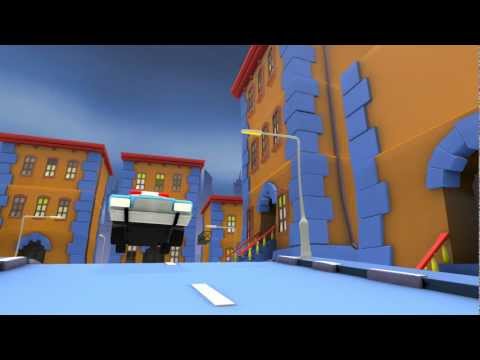
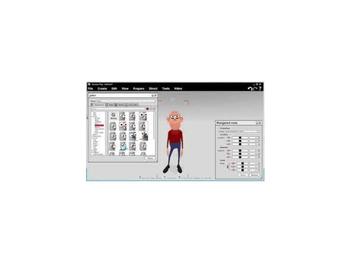
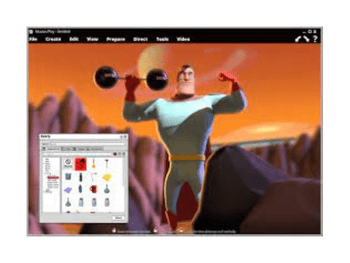
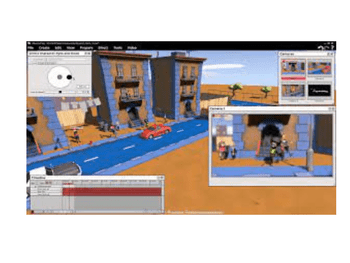
Buy Now & Pay Later, Check offer on payment page. Muvizu is a 3D animation software that lets users create animated videos quickly using ready-made characters, drag-and-drop tools, and automatic lip-syncing. It’s designed for beginners, educators, and creators who want fast, easy, and affordable animation production. ...Read more
 Get Instant Expert
  Safe & Secure
  Assured Best Price
 We make it happen! Get your hands on the best solution based on your needs.
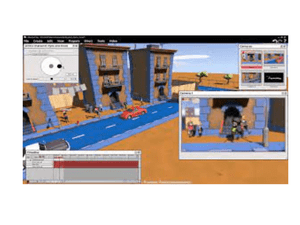
 Automatic lip-sync Characters lip-sync automatically when you import audio dialogue, saving time vs manual animation. Unreal Engine 3 Animations render quickly, letting you iterate fast without long waits. Video Output Muvizu Play+ offers a video output feature with which you can produce 360-degree video output and test that as well. Render Layers Render selected layers, place elements on separate layers, and add shadows or depth to images for clearer control in busy scenes. Scene Management Users can choose any types of scenes inbuilt in the software as per their project. It can be a city, entertainment, historical, Effects Users can create various types of effects such as rainfall, music, buzzing bee, bubbles, cloud, etc. to their animations as per Animation Users can animate their story in 3D and create movies efficiently. The rapid-learning and automatic lip-syncing feature of Muvizu 3D Modeling One can easily create and customize 3D characters by using this software to make animated videos as per their needs. Customisable Software Users can render all their animations in 3D by virtue of the motion camera movement of the software. Some of the customizable Special Effects With Muvizu, one can easily add special effects to their animations such as keyframe movement, facial expressions, 360 degrees Watermark Remover Users can easily place custom watermarks on their animations. The latest version of the software allows an individual to remove Photo Gallery & Videos There is a range of videos and photos inbuilt within Muvizu that one can take help in constructing his/her animation projects.
Have recommended this product
Overall Score
Review this product
Your valuable feedback helps others like you make a better decision.
Verified reviewer:
Freelancer, Animation
Individual
Reviewed on: Dec 14, 2023


 20,000+ Software Listed
 Best Price Guaranteed
 Free Expert Consultation
 2M+ Happy Customers
 USA
USA UAE
UAE