 USA
USA UAE
UAESmall Business
Designed for startups and growing businesses
See More





Brand: Mosambee
Mosambee mPOS is swipe machine offering comprehensive payment solutions for transactions completed using credit and debit cards. Merchants across multiple industries like healthcare, e-commerce, service providers, transport and insurance can use the system to process contactless payments, using CUG cards, loyalty cards, RFID tags, mobile banking etc. Moreover, Mosambee mPOS is also available in t...
See MoreHave you used Mosambee mPOS before?
Share your insights for better experience
 Windows
  Android
  Desktop
  Mobile
  Cloud-Based
 Looking for The Right Pricing?
Share your requirements and get a plan built around your business.
Price Available on Request
Get personalised Mosambee mPOS pricing that fits your needs. Our team will connect with you.
 Point of Sale (POS) Omni Payment Processing Platform Payment Processing
 Brand: Mosambee
Founded Year: 2011
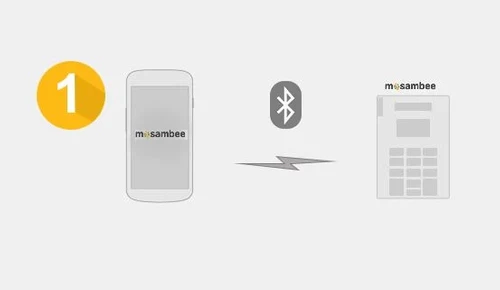
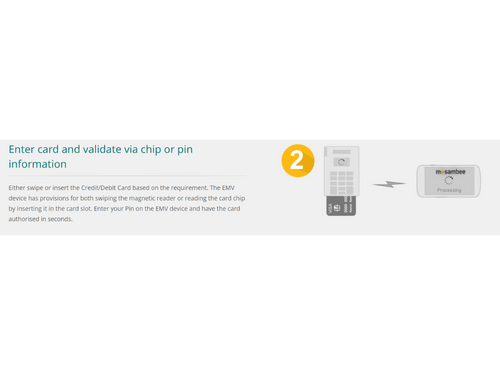
EMV-enabled and hardware-based POS system. Its product enables vendors to accept credit and debit cards by using an EMV device that connects to a mobile phone using bluetooth technology.
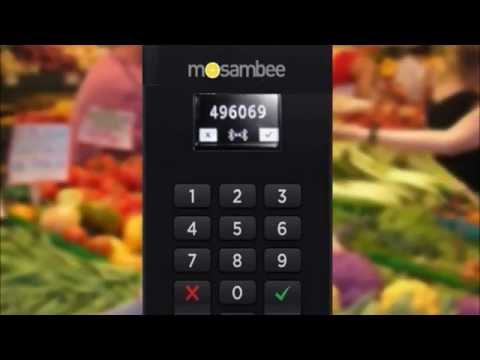

Watch the demo video to explore key features, real workflows, and how the software fits your business needs.
Small Business
Designed for startups and growing businesses
Medium Business
Built for business growth and flexibility
Enterprises
Designed for complex and large-scale business needs
4.5
Out of 5

Overall Rating
Based on
6 Verified Reviews
Rating Breakdown
90% Recommend this Product
Add ReviewMosambee mPOS receives high praise from users for its quick payment transfers and versatility across various industries, making it a favorable choice for businesses of all types. Customers appreciate its user-friendly setup and the convenience of multiple card reading options. However, while the reviews are overwhelmingly positive, the volume of feedback is relatively low, suggesting that further insights could enhance understanding of its long-term performance and any potential limitations.


Mar 22, 2021
Techjockey Verified
“Easy payment transfer”
Pros
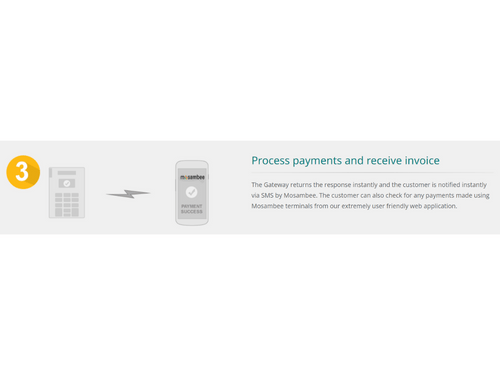
Money reaches your account within seconds using this pos system.
Cons
NO CONS
Mar 20, 2021
Techjockey Verified
“Best for all industries”
Pros
I used this POS for my garments business. Then I recommended it to my friends in different other businesses. Let me tell you Mosambee is fit to serve all types of businesses. It is the best.
Cons
NO CONS
Mar 20, 2021
Techjockey Verified
“Impressive card reading”
Pros
Mosambee lets you use two options- inserting a card in the card slot or swiping a magnetic reader. I use both the methods and they are quite convenient.
Cons
NO CONS

Mosambee mPOS
Price On Request
Desktop
Mobile
Web based
On Premises
Windows
Mac OS

Airpay Mobile POS
₹ 500
Desktop
Mobile
Web based
On Premises
Windows
Mac OS

Paytm POS Machine
₹ 6641
Desktop
Mobile
Web based
On Premises
Windows
Mac OS
Bzo POS
₹ 2500
Desktop
Mobile
Web based
On Premises
Windows
Mac OS
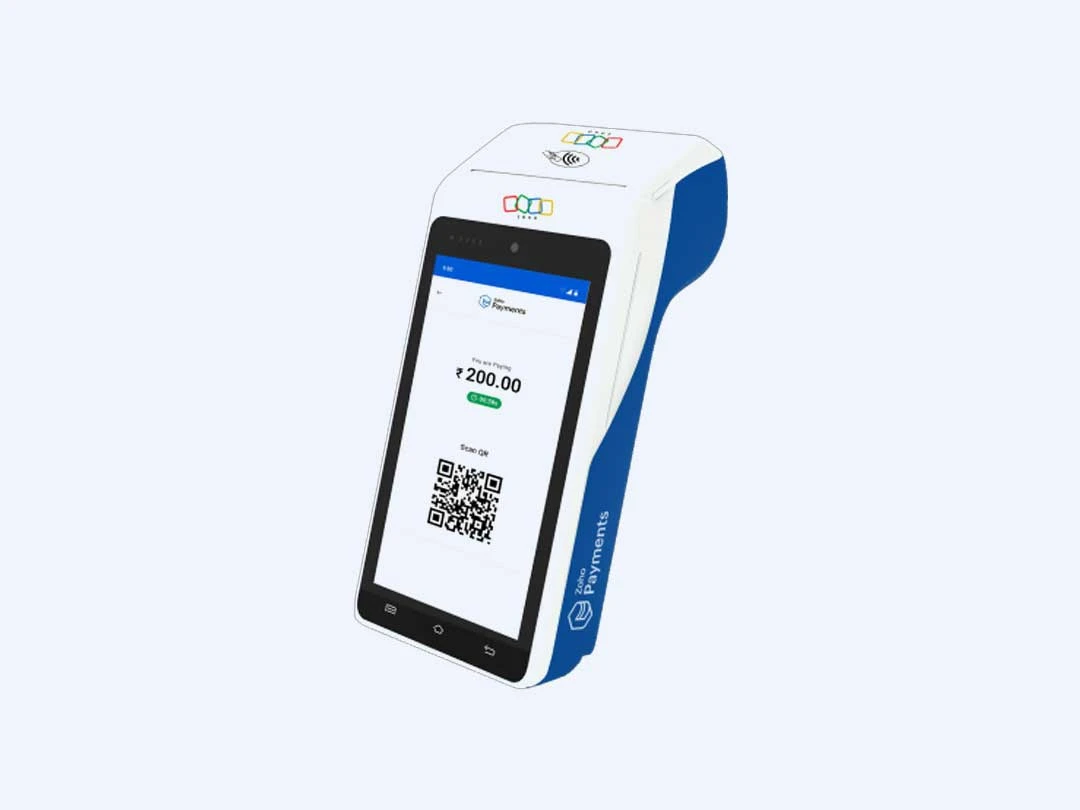
Zoho POS Machine
Price On Request
Desktop
Mobile
Web based
On Premises
Windows
Mac OS

Nukkad Shops
₹ 39580
Desktop
Mobile
Web based
On Premises
Windows
Mac OS

Sunmi V2
Price On Request
Desktop
Mobile
Web based
On Premises
Windows
Mac OS

Bijlipay Mobile POS
₹ 4500
Desktop
Mobile
Web based
On Premises
Windows
Mac OS

Sunmi P2
₹ 15254
Desktop
Mobile
Web based
On Premises
Windows
Mac OS

BillTouch C86D
Price On Request
Desktop
Mobile
Web based
On Premises
Windows
Mac OS

mSwipe Wisepos Neo
₹ 4500
Desktop
Mobile
Web based
On Premises
Windows
Mac OS
(0) Product(s) selected
Starting Price:
₹500 /Month
Available
Price on Request
Available
Price on Request
Available
Price on Request

Available
Price on Request

Available
Price on Request

Available
Price on Request

Available
Price on Request

Available
Price on Request

Available
Price on Request

Available
Price on Request
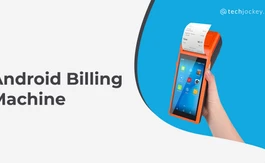

The acquirer dashboard can be used to manage metrics like TIDs/MIDs and MIS reports besides monitoring terminals, retrieving transactions and settlement reports as well.
The mPOS comes equipped with devices that are certified under EMV Level 1 and 2 besides PTS/PED.
Yes, Mosambee payment gateway is available as a white-label system in Bangladesh and Nepal apart from India.
Yes, data stored within Mosambee payment is hosted in a secured environment compliant with PCI-DSS, located at data centers available at Netmagic Corporation Mumbai/Vikhroli.
mPOS Mosambee features active partnerships with banks like IDBI, YES Bank and HDFC.
20,000+ Software Listed
Best Price Guranteed
Free Expert Consultation
2M+ Happy Customers
Terms and Condtions

Users with registered businesses can purchase goods from merchants on the platform to satisfy their business needs. Users are not permitted to utilize any products acquired through the platform for resale, advertising, business, or further distribution.
For each purchase made, users will receive a Tax Invoice (or 'GST invoice') that includes specific details such as:
the GSTIN of the user associated with their registered business, and
the specified Entity Name for their business.
It should be noted that not all products are eligible for GST Invoice. Only the products displayed by participating sellers with the 'GST-based Invoice Available' callout on the product description page would qualify.
Certain goods and services are not eligible to get a GST Invoice, including items with VAS, i.e., Value Added Services (e.g., Total Mobile Protection/Assured Buyback) and those involving an exchange offer at the time of purchase.
Users must ensure the accuracy of the GSTIN, and business entity name provided for the GST Invoice. Requests for corrections into GST Invoice would not be accommodated by Techjockey.com or any Seller, and any issues arising from user-provided information are the sole responsibility of users.
Techjockey.com is not liable for the GST Invoice or any associated input tax credit. To efficiently claim an input tax credit, users should select the registered place of business address as per the GST authority's data and follow the provisions of the GST Act and rules.
To claim an input tax credit, the delivery and billing addresses must match. Furthermore, input tax credits will not be granted if the delivery address and GSTIN on the invoice are from different states. In case of incorrect GST details provided during the order placement, the order will be canceled automatically.



