
Description
Pricing
Features
Specification
Review
Compare
Alternatives
 Get Free Advice
Get Quote



Brand : KIT Scenarist


4.3 
3 Ratings
Starting at
$ 5
Save Extra with 2 Offers
 Save upto 18%, Get GST Invoice on your business purchase |
Users with registered businesses can purchase goods from merchants on the platform to satisfy their business needs. Users are not permitted to utilize any products acquired through the platform for resale, advertising, business, or further distribution.
For each purchase made, users will receive a Tax Invoice (or 'GST invoice') that includes specific details such as:
the GSTIN of the user associated with their registered business, and
the specified Entity Name for their business.
It should be noted that not all products are eligible for GST Invoice. Only the products displayed by participating sellers with the 'GST-based Invoice Available' callout on the product description page would qualify.
Certain goods and services are not eligible to get a GST Invoice, including items with VAS, i.e., Value Added Services (e.g., Total Mobile Protection/Assured Buyback) and those involving an exchange offer at the time of purchase.
Users must ensure the accuracy of the GSTIN, and business entity name provided for the GST Invoice. Requests for corrections into GST Invoice would not be accommodated by Techjockey.com or any Seller, and any issues arising from user-provided information are the sole responsibility of users.
Techjockey.com is not liable for the GST Invoice or any associated input tax credit. To efficiently claim an input tax credit, users should select the registered place of business address as per the GST authority's data and follow the provisions of the GST Act and rules.
To claim an input tax credit, the delivery and billing addresses must match. Furthermore, input tax credits will not be granted if the delivery address and GSTIN on the invoice are from different states. In case of incorrect GST details provided during the order placement, the order will be canceled automatically.
Buy Now & Pay Later, Check offer on payment page.  Get Instant Expert
  Safe & Secure
  Assured Best Price
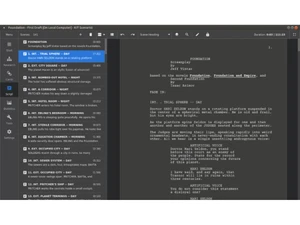
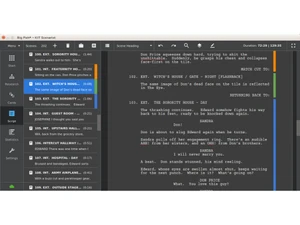
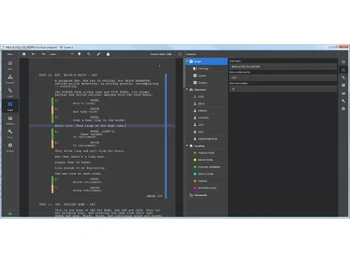
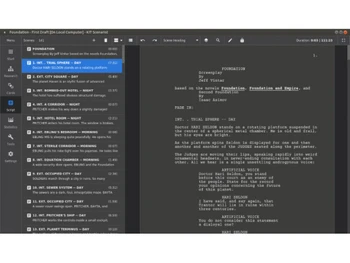
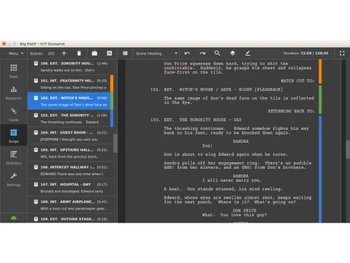
 Notes Capture scene notes, character ideas and research items in one place to support your script-writing process. Outlining Automatically flag abnormal pacing, dialogue/action ratios or location shifts to help tighten your screenplay’s structure. Collaboration Tools Work with co-authors via cloud-sync, share projects and edit in parallel (subject to subscription/cloud service). Intelligent Formatting Write your scenes while the software applies correct screenplay formatting (headings, dialogue, action) automatically. Spell Checker Use built-in spell checking to avoid typos and ensure your script maintains professional polish throughout. Auto Correction Let the program auto-correct common writing or formatting errors to maintain tidy, production-ready text. Screenplay Editor Use on a touch-screen device (tablet/mobile) to draft or edit your script on the go, supporting mobility and flexibility. Research Module Collect all project materials: characters, locations, documents, images and links so your story material is in one place Corkboard View script structure as draggable cards on a board, group them, colour-code them, and changes sync with script text. Statistics & Reports Module Real-time word/character counts, page duration, graphs of scenes and character activity let you monitor pacing and structure. Multilingual Script Support Write in any language (Chinese, Greek, Hebrew, Polish etc) and save/load without formatting issues.
 20,000+ Software Listed
 Best Price Guaranteed
 Free Expert Consultation
 2M+ Happy Customers
 USA
USA UAE
UAE


