linkedin
Framer logo
play Make A Framer Website In Minutes
framer Template
framer blog

Framer

Brand: Framer

  • 4.4

  • 5 Ratings & 1 Review

Framer Website Builder Software empowers designers with an intuitive platform to create stunning websites by seamlessly integrating interactive prototyping and code capabilities.

See More

Have you used Framer before?

Share your insights for better experience

Add a Review
Starting Price
₹4,332 excl.GST
₹ 5,112 incl. GST

View plans

offer Save upto 18%, Get GST Invoice on your business purchase T&C
offer Buy Now & Pay Later, Check offer on payment page.
Buy Now
100% Genuine
Products
Best Price
Guaranteed
Safe & Secure
Payment
  • Description

  • Pricing

  • Features

  • Specification

  • Review

  • Compare

  • Alternatives

  • FAQ

  • Questions

Starting at ₹4,332
Buy Now

Framer Software Overview

What is Framer Software?

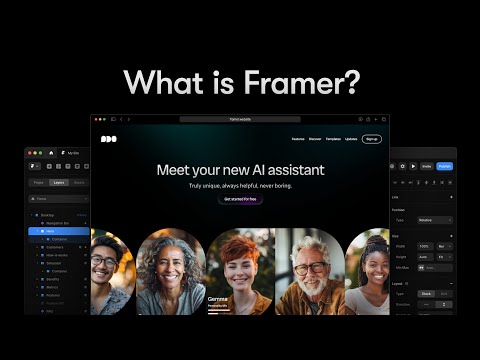
Framer is a website development tool that empowers creative professionals to seamlessly transition from design to world-class websites. The platform streamlines the website creation process and enables users to easily design and publish real responsive websites.

The website development tool allows users to easily create visually stunning layouts and prototypes. It allows them to visualize and refine their website designs before turning them into functional sites. It's drag-and-drop functionality and flexible design options provide unmatched creative freedom. It enables users to deploy their websites to the web with a simple click, making it accessible to audiences worldwide.

The software offers responsive design capabilities to ensure websites look and function flawlessly on various devices and screen sizes. It comes equipped with a range of pre-built templates and elements. This extensive library of resources makes it a powerful tool for beginners and experienced web developers. The platform allows multiple team members to collaborate seamlessly, sharing ideas, feedback, and changes in real time.

Why Choose Framer Website Builder?

Framer enables users to create online stores and manage product listings with ease. It allows users to track visitor behavior, page views, and other crucial metrics to measure website performance. The website development tool enables users to easily add interactive elements such as animations, hover effects, and buttons to enhance user engagement and interactivity on their websites.

It offers user testing capabilities for designers to gather valuable feedback from real users to optimize their designs for better usability. The system allows users to track changes and revert to previous design iterations. It simplifies the handoff process by providing design specs and assets developers can easily access and implement.

Benefits of Framer Website Builder Software

  • The website development tool ensures that websites created on its platform are fully responsive and adaptive for optimal viewing.
  • It allows custom code implementation to provide the flexibility to incorporate unique features.
  • It automatically optimizes images to improve website loading speed and performance.
  • The solution offers customizable form-building tools and contact management features to facilitate effective communication and lead generation.
  • It allows users to instantly see changes they make to their website design and content in real-time.

Framer Pricing

Framer website builder platform pricing starts from Rs 4332 per year at techjockey.com.

The pricing model is based on different parameters, including extra features, deployment type, and total users. For further queries related to the product, you can contact our product team and learn more about the pricing and offers.

Read more

Framer Company Details

Founded Year:  2013

Framer is a tool to design interactive high-fidelity prototypes for iOS, Android, desktop, or the web.

Director/Founders Jorn van Dijk, Koen Bok
Company Size 1-100 Employees

Framer Pricing & Plans

Basic (INR 361 per month, Billed Annually)

Calculated Price

₹ 4332 Exclusive of all taxes
    • Licenses

      Licenses
      Licenses
    • Yearly

      Yearly
      Yearly

Key Features

  • Landing Page

  • Home + 404

  • Custom Domain

  • 1k Visitors/mo

Pro (INR 1084 per month, Billed Annually)

Calculated Price

₹ 13008 Exclusive of all taxes
    • Licenses

      Licenses
      Licenses
    • Yearly

      Yearly
      Yearly

Key Features

  • Personal Site

  • Unlimited Pages

  • Password Protect

  • 1 CMS Collection

  • 10 Page Search

  • 10k Visitors/mo

Scale (INR 3612 per month, Billed Annually)

Calculated Price

₹ 43344 Exclusive of all taxes
    • Licenses

      Licenses
      Licenses
    • Yearly

      Yearly
      Yearly

Key Features

  • Bigger Site

  • Analytics

  • Staging

  • 1 Translation Locale

  • 500 Translations

  • 10 CMS Collections

  • 300 Page Search

  • 200k Visitors/mo

Framer Features

  • icon_check A/B Testing
    Users can conduct A/B testing to compare website designs and content variations.
  • icon_check Content Management
    Enables users to easily update and organize a website's content without complex coding.
  • icon_check Templates
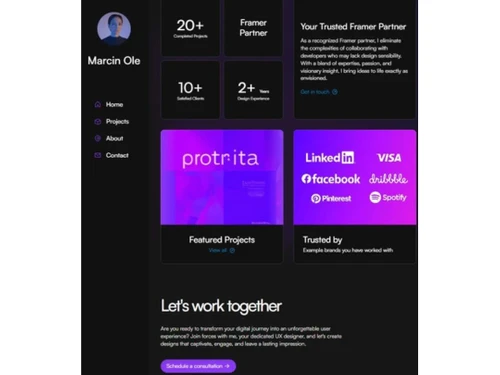
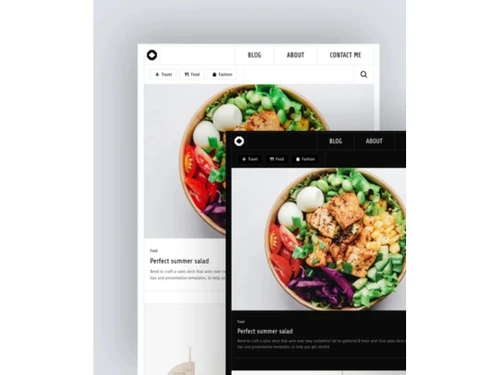
    Offers pre-built templates that users can customize to start their website projects or find design inspiration.
  • icon_check Collaboration
    Allows teams to collaborate and share real-time ideas, feedback, and changes.
  • icon_check Website Builder
    Empowers users to create visually stunning and fully functional websites with no coding skills required.
  • icon_check SEO
    Helps users optimize their websites to rank higher in search engine results and attract more organic traffic.
  • icon_check Content Import/ Export
    Users can transfer data between projects or integrate content from external sources.
  • icon_check Drag & Drop
    Users can place and arrange website elements with maximum creative freedom and design control.
  • icon_check Reporting & Analytics
    Offers insights into website performance, user behavior, and other key metrics.
  • icon_check AI Layout Generation
    Automatically generate page layouts and advanced UI components in seconds using powerful built-in artificial intelligence.
  • icon_check Interactive CMS Tools
    Effortlessly manage and update site content using a robust built-in CMS that requires absolutely no coding knowledge daily.
  • icon_check Advanced Site Analytics
    Track visitor traffic and monitor performance metrics directly within your project dashboard to gain valuable growth insights.
  • icon_check Visual Effects
    Craft stunning responsive layouts with smooth transitions, custom interactions, and professional-grade animations easily.
  • icon_check Blazing-Fast Hosting
    Publish your projects on highly optimized infrastructure that ensures rapid load times and superior global performance.
  • icon_check Real-Time Collaboration
    Work together with your entire team on the visual canvas simultaneously to streamline the design and editing processes.
Framer Demo Video play icon

Get Framer Demo

Watch the demo video to explore key features, real workflows, and how the software fits your business needs.

Understand
Key Features
Personal
Demo Insights
Interactive
Demo Support

Framer Specifications

Supported Platforms
Ubuntu Ubuntu Windows Windows MacOS MacOS Linux Linux
Devices
Desktop Desktop Mobile Mobile Tablet Tablet iPad iPad
Deployment
Cloud-Based Cloud-Based
Suitable For
All Industries
Business Specific
All Businesses
Business Size
Small Business Startups Medium Business Enterprises
Customer Support
Email Communities
Language
English
Integration
API Integration
Training Resources
Videos
AI Features
AI Integrated

Explore the Best Alternative Solutions Similar to Your Business Size and Needs

Framer Review

4.4

Out of 5

img

Overall Rating

Based on
1 Verified Review

Rating Breakdown

  • Features 4.5
  • Value for Money 4.2
  • Ease of Use 4.5
  • Customer Support 4.7

90% Recommend this Product

Add Review

Framer Video Review

youtubeVideoId

4.4

“Framer UX Design Software In-Depth Review”

Review by: Product Review Network

Compare Framer With other Website Builder

Products
Ratings
Pricing
Device Supported
Deployment
Supported Platforms
  • img

    Framer

  • 4.4

  • ₹ 4332.00 excl. GST

  • Desktop

    Mobile

  • Web based

    On Premises

  • Windows

    Mac OS

  • img

    Creative AI

  • 5

  • Price On Request

  • Desktop

    Mobile

  • Web based

    On Premises

  • Windows

    Mac OS

  • img

    Zoho Sites

  • 4.5

  • ₹ 280

  • Desktop

    Mobile

  • Web based

    On Premises

  • Windows

    Mac OS

  • img

    Readdy AI

  • 4.5

  • Price On Request

  • Desktop

    Mobile

  • Web based

    On Premises

  • Windows

    Mac OS

  • img

    Boost 360

  • 4.5

  • Price On Request

  • Desktop

    Mobile

  • Web based

    On Premises

  • Windows

    Mac OS

  • img

    Durable

  • 4.7

  • Price On Request

  • Desktop

    Mobile

  • Web based

    On Premises

  • Windows

    Mac OS

  • img

    Wegic AI

  • 4.2

  • Price On Request

  • Desktop

    Mobile

  • Web based

    On Premises

  • Windows

    Mac OS

  • img

    Webneed

  • 4.3

  • Price On Request

  • Desktop

    Mobile

  • Web based

    On Premises

  • Windows

    Mac OS

  • img

    beehiiv

  • 4.2

  • Price On Request

  • Desktop

    Mobile

  • Web based

    On Premises

  • Windows

    Mac OS

(0) Product(s) selected

Framer Alternatives

See All Framer Alternatives

Starting Price:

$25 /Month

Starting Price:

$15

Starting Price:

$24 /Month $40

SAVE UPTO 40%

Starting Price:

$49 /Month

Mixo

4.3

Starting Price:

$10

Starting Price:

$5 /Month

Starting Price:

$14

Starting Price:

$7 /Month

Articles for Framer

See All Related Articles

Which operating system does the Framer Software Support?

Framer software is compatible with Windows and macOS operating systems.

Is there any Framer App?

Framer app is unavailable on Android and iOS devices.

What does Framer do?

Framer is a website development tool that facilitates the creation of elegant, easily deployable responsive websites.

How much does the Framer Cost?

Framer website builder platform pricing starts from Rs 4332 per year at techjockey.com.

Who uses Framer Website Builder System?

Framer website builder system can be used by bloggers, web developers, digital marketers, ad companies, e-commerce websites, and individuals who need an AI-powered landing page builder.

Is there any free trial or demo for Framer Software?

Framer software demo is available for free with techjockey.com.

Is the Framer Website Builder Free?

Framer website builder does not offer a free trial.

How does Framer Website Builder Work?

Framer website builder is an innovative website-building software that offers a wide range of inspirational designs, illustrations, and graphics curated by top designers. Users can easily create their unique farm-themed websites by browsing through the diverse collection of visual elements for inspiration and incorporating them seamlessly into their projects.

Why is Framer used?

Framer is popular because it makes it simple for users to create visually appealing layouts, allows them to make changes to their website before launching it, and offers a bunch of features that allow users to express their creativity and create an appealing user interface.

Is Framer easy to use?

Yes, Framer is easy to use. If you are comfortable using Figma, then you will love the features and services that Framer has to offer.

Framer Questions

Q:

What are the disadvantages of Framer?

Annapurna Events and caterer • Apr 8, 2026
A:

For people who are new to website development or those with almost zero coding knowledge, Framer can be challenging to learn and implement. Compared to other web design tools, Framer is pricier. Back-end integration is not possible with Framer.

Hitesh • Apr 13, 2026
Q:

Is Framer a good tool?

Anshul Gajbhiye • Mar 5, 2026
A:

Framer Designers can create dynamic and realistic prototypes by creating animations, interactions, and transitions. So yes, it can be said that Framer is a good tool.

Vikas • Mar 17, 2026
Q:

Is Framer SEO friendly?

Robiul Islam • Mar 4, 2026
A:

By default, Framer sites have robots.txt and a sitemap.xml automatically added, and they are optimized for search engine performance.

Terence Chan • Mar 10, 2026
Q:

Is Framer based on React?

REETESH KUMAR • Mar 3, 2026
A:

Yes, Framer is based on React. It is constructed using the JavaScript user interface library, i.e., React. You can make animations and interactive prototypes using Framer.

Clement Edward • Mar 16, 2026
A:

Framer website builder is a web-based software. So you need not download any software to use it.

Sushil Bishnoi • Mar 10, 2026
See All Framer Questions

20,000+ Software Listed

Best Price Guranteed

Free Expert Consultation

2M+ Happy Customers

Terms and Condtions

close

Users with registered businesses can purchase goods from merchants on the platform to satisfy their business needs. Users are not permitted to utilize any products acquired through the platform for resale, advertising, business, or further distribution.

For each purchase made, users will receive a Tax Invoice (or 'GST invoice') that includes specific details such as:

  • the GSTIN of the user associated with their registered business, and

  • the specified Entity Name for their business.

It should be noted that not all products are eligible for GST Invoice. Only the products displayed by participating sellers with the 'GST-based Invoice Available' callout on the product description page would qualify.

Certain goods and services are not eligible to get a GST Invoice, including items with VAS, i.e., Value Added Services (e.g., Total Mobile Protection/Assured Buyback) and those involving an exchange offer at the time of purchase.

Users must ensure the accuracy of the GSTIN, and business entity name provided for the GST Invoice. Requests for corrections into GST Invoice would not be accommodated by Techjockey.com or any Seller, and any issues arising from user-provided information are the sole responsibility of users.

Techjockey.com is not liable for the GST Invoice or any associated input tax credit. To efficiently claim an input tax credit, users should select the registered place of business address as per the GST authority's data and follow the provisions of the GST Act and rules.

To claim an input tax credit, the delivery and billing addresses must match. Furthermore, input tax credits will not be granted if the delivery address and GSTIN on the invoice are from different states. In case of incorrect GST details provided during the order placement, the order will be canceled automatically.