Description
Pricing
Features
Specification
Review
Compare
FAQs
Alternatives
 Get Free Advice
Get Quote






See
More
Brand : FiiviQ


4.6 
5 Ratings
Have Questions?
Price On Request
Save Extra with 2 Offers
 Save upto 18%, Get GST Invoice on your business purchase |
Users with registered businesses can purchase goods from merchants on the platform to satisfy their business needs. Users are not permitted to utilize any products acquired through the platform for resale, advertising, business, or further distribution.
For each purchase made, users will receive a Tax Invoice (or 'GST invoice') that includes specific details such as:
the GSTIN of the user associated with their registered business, and
the specified Entity Name for their business.
It should be noted that not all products are eligible for GST Invoice. Only the products displayed by participating sellers with the 'GST-based Invoice Available' callout on the product description page would qualify.
Certain goods and services are not eligible to get a GST Invoice, including items with VAS, i.e., Value Added Services (e.g., Total Mobile Protection/Assured Buyback) and those involving an exchange offer at the time of purchase.
Users must ensure the accuracy of the GSTIN, and business entity name provided for the GST Invoice. Requests for corrections into GST Invoice would not be accommodated by Techjockey.com or any Seller, and any issues arising from user-provided information are the sole responsibility of users.
Techjockey.com is not liable for the GST Invoice or any associated input tax credit. To efficiently claim an input tax credit, users should select the registered place of business address as per the GST authority's data and follow the provisions of the GST Act and rules.
To claim an input tax credit, the delivery and billing addresses must match. Furthermore, input tax credits will not be granted if the delivery address and GSTIN on the invoice are from different states. In case of incorrect GST details provided during the order placement, the order will be canceled automatically.
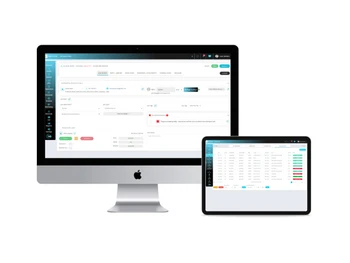
Buy Now & Pay Later, Check offer on payment page. 5iQ Automobile Workshop Software streamlines workshop operations with its intuitive interface, offering comprehensive vehicle management, efficient inventory tracking, and seamless billing and invoicing. ...Read more
 Get Instant Expert
  Safe & Secure
  Assured Best Price
 We make it happen! Get your hands on the best solution based on your needs.
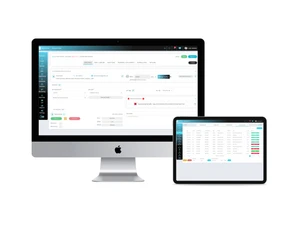
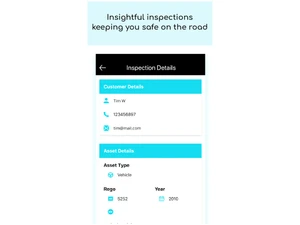
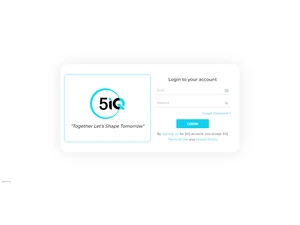
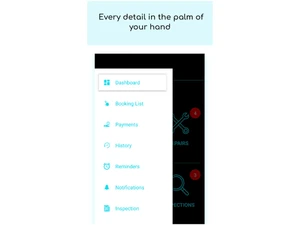
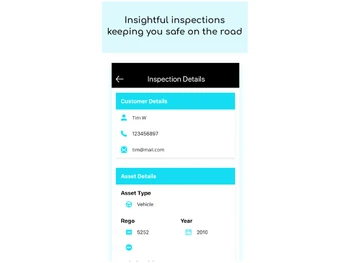
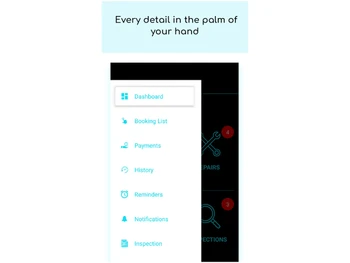
 Mobile App Access and manage your automotive workshop on the go with a user-friendly mobile application. Configurable Workflow Customize and streamline workshop processes to match your business needs and improve productivity. Dashboards Monitor and track key metrics, revenue, and real-time customer feedback for data-driven decision-making. Marketing with AI Engage customers with personalized marketing campaigns powered by AI, fostering customer retention and growth. Customer Management Efficiently manage customer information and preferences for a personalized and satisfying workshop experience. Vehicle Management Keep track of detailed vehicle records and maintenance schedules, ensuring top-notch care. Workshop Management Optimize daily operations with efficient job scheduling, task assignment, and real-time progress monitoring. Scheduling Minimize wait times and maximize workshop capacity by efficiently managing appointments and resource allocation. Reports Access comprehensive insights into workshop performance, analyze key data, and make informed decisions. Customer & Vehicle CRM Manage detailed customer profiles and their vehicle histories to tailor services and communications. Quote Management Generate, store, and track service or repair quotes directly in the system for streamlined workflow. Job / Work Order Management Create, assign, and track repair or maintenance jobs across your workshop digitally. Invoicing Automatically generate invoices for completed jobs, making billing efficient and error-free. Digital Vehicle Inspection (DVI) Conduct and record vehicle inspections using customizable digital forms to go paperless. Technician App A mobile app for technicians to view jobs, log work, add parts, and raise invoices on the go. Customer App Enable customers to book service, view history, and receive reminders 24/7 from their mobile device.
 | Brand Name | FiiviQ |
| Information | 5iQ workshop software covers the gap between the technology and mechanical workshops by offering the efficient garage management system. |
| Founded Year | 2018 |
| Director/Founders | FiiviQ |
| Company Size | 1-100 Employees |


 20,000+ Software Listed
 Best Price Guaranteed
 Free Expert Consultation
 2M+ Happy Customers
 USA
USA UAE
UAE


![[Infographic] Trend & Technology for Auto Industry| Automotive Software](https://cdn.techjockey.com/blog/wp-content/uploads/2019/01/14171946/MicrosoftTeams-image-8.jpg?d=265x163 "Blog - [Infographic] Trend & Technology for Auto Industry| Automotive Software")