USA
USA UAE
UAESmall Business
Designed for startups and growing businesses

See More





Brand: Buddy
Buddy Website Development Software is a powerful tool for developers, offering seamless collaboration and automated deployment, accelerating website development, and ensuring efficient project management.
See MoreHave you used Buddy before?
Share your insights for better experience
Brand: Buddy
Founded Year: 2015
Buddy is a web-based and self-hosted continuous integration and delivery platform for software developers.
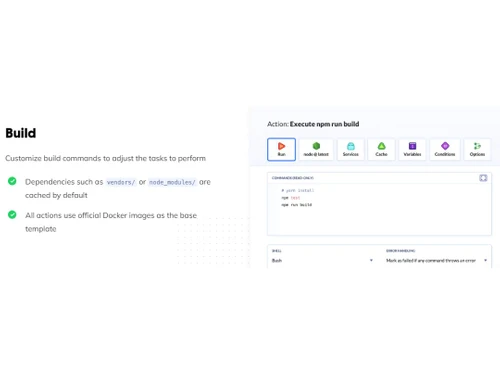
 CI/CD Pipelines Role-Based Access Control (RBAC) Environment Management Automated SSL Application Development Debugging Deployment Management Web App Development Reporting & Analytics Collaboration Tools Graphical User Interface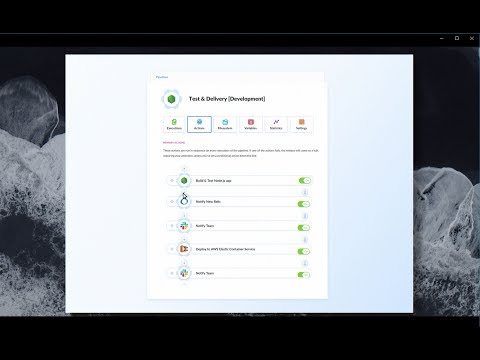

Watch the demo video to explore key features, real workflows, and how the software fits your business needs.
 Ubuntu
  Windows
  MacOS
MacOS  Linux
Linux  Desktop
  Mobile
  Tablet
  iPad
iPad  Cloud-Based
  Perpetual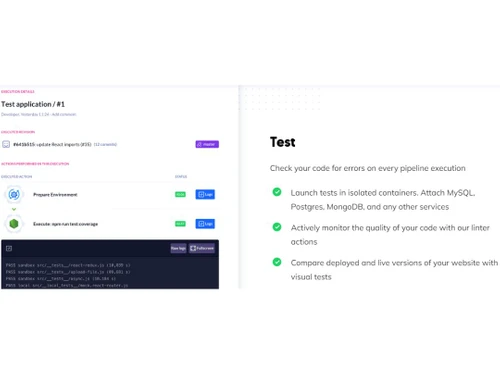
Small Business
Designed for startups and growing businesses
Medium Business
Built for business growth and flexibility
Enterprises
Designed for complex and large-scale business needs
4.4
Out of 5

Overall Rating
Based on
10 Verified Reviews
Rating Breakdown
89% Recommend this Product
Add ReviewOverall, users appreciate Buddy Punch for its user-friendly mobile app and effective GPS tracking, making it a favorite for field employees. The onboarding process is noted as straightforward, and customer support is praised for its responsiveness. However, some users express concerns about the lack of offline punching capabilities and the potential for costs to increase with additional features or users. Additionally, while many enjoy the integrated PTO and scheduling features, some find the absence of specific punch options, like a dedicated lunch punch, limiting.


May 20, 2025
Techjockey Verified
“Mobile Punches Work Well—Sort Of”
Field employees love punching from their phones. It logs GPS coordinates. But when someone is offline, there's no offline mode—they can’t punch until they get back online.
Pros
Works from mobile app or browser
Cons
Doesn’t currently support offline punching
Reason to switch
Wanted location-based punching—Buddy Punch fit better than Time Doctor.
Apr 9, 2025
Techjockey Verified
“Setup Was Breeze for My Startup”
Onboarding everyone was quick. The setup wizard helped, but customizing roles, PTO types, and timesheet policies took us about half a day to fine-tune. Worth it though.
Pros
Easy onboarding and configuration
Cons
Learning admin settings took half a day
Reason to switch
Needed a faster, more scalable tool.
Feb 6, 2025
Techjockey Verified
“Affordable for Small Businesses”
Buddy Punch isn’t contractlocked and costs less than our old system. But if you add extra features or many users, monthly costs scale up—something to watch.
Pros
Transparent and reasonably priced
Cons
Costs add up per user
Reason to switch
Wanted cost-effective software with clear pricing.

Buddy
Price On Request
Desktop
Mobile
Web based
On Premises
Windows
Mac OS

Github
Price On Request
Desktop
Mobile
Web based
On Premises
Windows
Mac OS

Vercel
Price On Request
Desktop
Mobile
Web based
On Premises
Windows
Mac OS

Agro CD
Price On Request
Desktop
Mobile
Web based
On Premises
Windows
Mac OS

AirOps
Price On Request
Desktop
Mobile
Web based
On Premises
Windows
Mac OS

LaunchDarkly
Price On Request
Desktop
Mobile
Web based
On Premises
Windows
Mac OS

InsForge
Price On Request
Desktop
Mobile
Web based
On Premises
Windows
Mac OS

aikido code
Price On Request
Desktop
Mobile
Web based
On Premises
Windows
Mac OS

CodeRabbit
Price On Request
Desktop
Mobile
Web based
On Premises
Windows
Mac OS

Elastic Enterprise Search
Price On Request
Desktop
Mobile
Web based
On Premises
Windows
Mac OS

Flyway
Price On Request
Desktop
Mobile
Web based
On Premises
Windows
Mac OS
(0) Product(s) selected
Available
Price on Request
Starting Price:
$10 /Month
Starting Price:
₹23,000 /Month
Starting Price:
$24 /Month

Available
Price on Request

Starting Price:
$3,000

Starting Price:
$7

Starting Price:
$149 /year

Available
Price on Request

Available
Price on Request

Starting Price:
$1,200 /Users
Buddy software is compatible with Windows and macOS operating systems.
Buddy app is not available on Android and iOS devices.
Buddy system supports web-based deployment.
Buddy System pricing starts from $29 at techjockey.com.
Buddy is designed to serve businesses, entrepreneurs, freelance web developers, or anyone who needs to create a website.
Buddy demo is available for free with techjockey.com.
Buddy Software does not offer a free trial.
Buddy is a web-based platform. So, you need not download any software or app to use it.
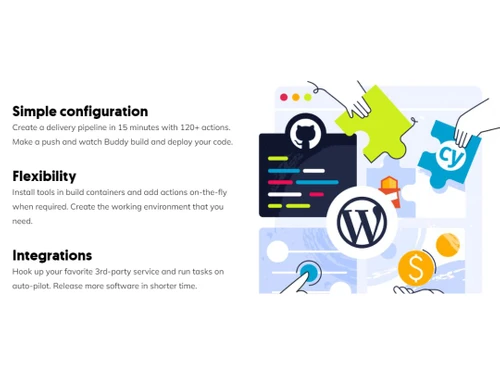
Buddy simplifies web and app development by providing an efficient CI/CD (Continuous Integration/Deployment) process. Its user-friendly interface allows developers to quickly build and deploy applications, resulting in faster and improved app development experiences.
20,000+ Software Listed
Best Price Guranteed
Free Expert Consultation
2M+ Happy Customers
Terms and Condtions

Users with registered businesses can purchase goods from merchants on the platform to satisfy their business needs. Users are not permitted to utilize any products acquired through the platform for resale, advertising, business, or further distribution.
For each purchase made, users will receive a Tax Invoice (or 'GST invoice') that includes specific details such as:
the GSTIN of the user associated with their registered business, and
the specified Entity Name for their business.
It should be noted that not all products are eligible for GST Invoice. Only the products displayed by participating sellers with the 'GST-based Invoice Available' callout on the product description page would qualify.
Certain goods and services are not eligible to get a GST Invoice, including items with VAS, i.e., Value Added Services (e.g., Total Mobile Protection/Assured Buyback) and those involving an exchange offer at the time of purchase.
Users must ensure the accuracy of the GSTIN, and business entity name provided for the GST Invoice. Requests for corrections into GST Invoice would not be accommodated by Techjockey.com or any Seller, and any issues arising from user-provided information are the sole responsibility of users.
Techjockey.com is not liable for the GST Invoice or any associated input tax credit. To efficiently claim an input tax credit, users should select the registered place of business address as per the GST authority's data and follow the provisions of the GST Act and rules.
To claim an input tax credit, the delivery and billing addresses must match. Furthermore, input tax credits will not be granted if the delivery address and GSTIN on the invoice are from different states. In case of incorrect GST details provided during the order placement, the order will be canceled automatically.