linkedin
Browzwear FDS logo
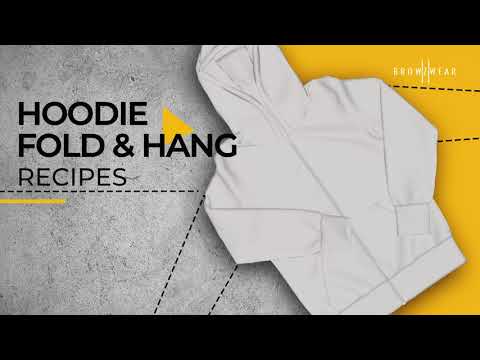
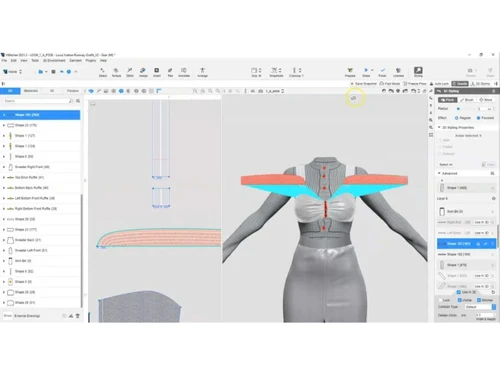
play How to Fold and Hang a Hoodie Piece in VStitcher's New Workspace
Browzwear FDS-2D Design
Browzwear FDS-Designing

Browzwear FDS

Brand: Browzwear

  • 4.3

  • 4 Ratings

Browzwear Fashion Design Software helps fashion designers create clothes in 3D interface. The software can be used at an industrial scale as well by apparel making industries. With true-to-life digital samples, users can visualize the final garment before starting its mass productivity. It uses the 3D designing interface for real-life design visibility. Here is how it does: Creative: The creati...

See More

Have you used Browzwear FDS before?

Share your insights for better experience

Add a Review

Price Available on Request

Questions about pricing or customization? We’re here to help, just a click away.

100% Genuine
Products
Best Price
Guaranteed
Safe & Secure
Payment
  • Description

  • Pricing

  • Features

  • Specification

  • Review

  • Compare

  • Alternatives

  • FAQ

Browzwear FDS Software Overview

What is Browzwear Fashion Design Software? 

Browzwear Fashion Design Software helps fashion designers create clothes in 3D interface. The software can be used at an industrial scale as well by apparel making industries. With true-to-life digital samples, users can visualize the final garment before starting its mass productivity. It uses the 3D designing interface for real-life design visibility. Here is how it does: 

  1. Creative: The creative process is exhaustive and never stops, for that Browzwear Fashion Design Software provides a digitally accurate 3D samples of clothes. It helps the designer check how they will look upon final rendering. Easy validation and finalization of the design process is enabled. 
  2. Fitting: The software conducts the evaluation process for fitting purposes. It enables apparel designers to understand how different samples will look on different body types to come with unique and interesting designs. The authentic 3D samples help designers create garments that do justice to the silhouette of the person wearing them. 
  3. Digital Catalog: Designers can showcase their digital samples to get instant feedback from the concerned people. 
  4. Mass Manufacturing: The fashion design software helps users make accurate pre-production choices, which facilitates streamlined and error-free garment manufacturing process. 

What are the modules offered by Browzwear 3D Clothing Design Software? 

Browzwear Fashion Design Software allows companies to digitally transform their business: 

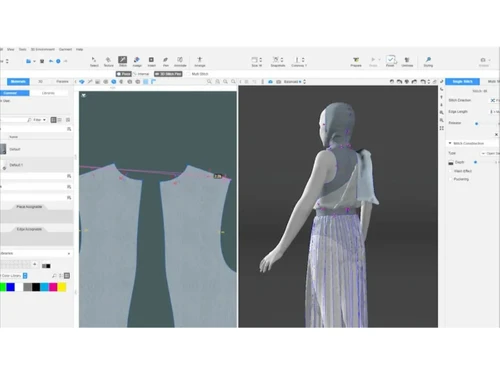
  1. Lotta: This 3D designing tool allows designers to unleash their creativity and visualize their designs in every fabric, trim, and color. It also enables them to showcase their designs in the most authentic and 3D way.
  2. Stylezone: Stylezone module allows fashion designers to showcase 3D prototypes through a merchandizing platform built into the software. It allows users to rotate, move, zoom, and interact with the 3D garment. It is a great tool for independent designers to market themselves. 
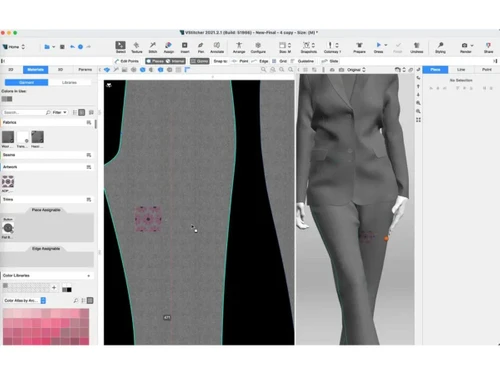
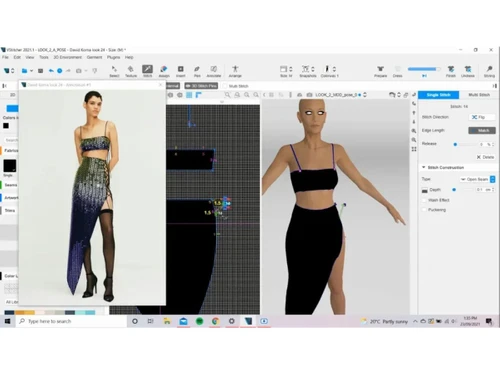
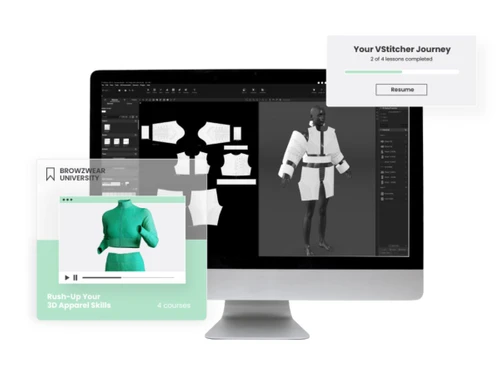
  3. VStitcher: Fashion designers must create stitch designs to make appropriate adjustments for production, and that’s where VStitcher comes into play. It enables the users to make different types of cuts and stitches on a cloth and visualize the complete garment design. It offers true to life garment prototyping. 
  4. FAB: FAB stands for Fabric Analyzer by Browzwear. It offers detailed analysis of the fabric and helps visualize them before final rendering. 
  5. Open Platform: Browzwear Fashion Design Software offers an open platform which enables fashion designers to integrate a multitude of designing applications and add value to their task. 

What are the benefits of using 3D Fashion Design Software by Browzwear? 

Here are some key benefits of Browzwear Fashion Design Software: 

  1. Time saving 
  2. Fabric evaluation
  3. Fitting tests 
  4. Stitching management
  5. Allows fashion designers to market themselves

What is the price for Browzwear Software? 

The price of Browzwear Fashion Design Software depends on the module requirement of the user. Please request a call for further inquiries.

Read more

Browzwear Company Details

Founded Year:  1999

Browzwear’s pioneering 3D solutions for apparel design, development and merchandising are the key to a successful digital product lifecycle. Through the power of beautiful, true-to-life 3D, designers, developers, production and marketing can now collaborate effectively to get creative products.

Director/Founders Sharon Lim
Company Size 1-100 Employees

Browzwear FDS Pricing & Plans

Looking for The Right Pricing?

Share your requirements and get a plan built around your business.

  • Define your business needs
  • Get customised pricing
  • Choose features that fit your workflow

Price Available on Request

Get personalised Browzwear FDS pricing that fits your needs. Our team will connect with you.

Browzwear FDS Features

  • icon_check 3D Garment Simulation
    Create lifelike 3D garments with realistic fabric physics, enabling accurate visualization before production
  • icon_check Virtual Prototyping
    Replace physical samples with digital twins, reducing costs, waste, and development time significantly
  • icon_check Fabric Physics Engine
    Simulate stretch, drape, and tension using real fabric data for highly accurate garment behavior
  • icon_check Real-Time Rendering
    Generate photorealistic visuals instantly, helping designers evaluate fit, style, and materials quickly
  • icon_check Pattern Design Tools
    Design, edit, and adjust patterns directly in 2D and 3D environments with seamless synchronization
  • icon_check Colorway Management
    Easily create and manage multiple color variations for garments with quick switching and previews
  • icon_check Fashion Illustration
    Enables creation of detailed fashion illustrations and garment concepts with precise design tools for visualizing styles
  • icon_check 3D Design & Styling
    The fashion design software enables users to create clothes on a 3D model for varying body sizes with an enhanced visual output.
  • icon_check Design tools
    Browzwear Fashion Design Software offers VStitcher to make accurate cloth cuts and stitches for the final form of the garment.
Browzwear FDS Demo Video play icon

Get Browzwear FDS Demo

Watch the demo video to explore key features, real workflows, and how the software fits your business needs.

Understand
Key Features
Personal
Demo Insights
Interactive
Demo Support

Browzwear FDS Specifications

Supported Platforms
Windows Windows
Devices
Desktop Desktop
Deployment
Cloud-Based Cloud-Based Perpetual Perpetual
Suitable For
All Industries
Business Specific
All Businesses
Business Size
Small Business Medium Business Enterprises SMBs SMEs
Customer Support
Phone Email
Language
English
Integration
API Integration
Training Resources
Webinars Documentation

Explore the Best Alternative Solutions Similar to Your Business Size and Needs

Browzwear FDS Review

4.3

Out of 5

img

Overall Rating

Based on
4 Verified Ratings

Rating Breakdown

  • Features 4.2
  • Value for Money 4.3
  • Ease of Use 4.3
  • Customer Support 4.3

87% Recommend this Product

Add Review

Be the First to Review

This product has no reviews yet. Be the first to leave your feedback.

Add Review

Compare Browzwear FDS With other Fashion Design Software

Products
Ratings
Pricing
Device Supported
Deployment
Supported Platforms
  • img

    Browzwear FDS

  • 4.3

  • Price On Request

  • Desktop

    Mobile

  • Web based

    On Premises

  • Windows

    Mac OS

  • img

    Style3D

  • 4.4

  • Price On Request

  • Desktop

    Mobile

  • Web based

    On Premises

  • Windows

    Mac OS

  • img

    The New Black

  • 4.3

  • Price On Request

  • Desktop

    Mobile

  • Web based

    On Premises

  • Windows

    Mac OS

  • img

    Resleeve

  • 4.3

  • Price On Request

  • Desktop

    Mobile

  • Web based

    On Premises

  • Windows

    Mac OS

  • img

    Nastix Design

  • 4.3

  • Price On Request

  • Desktop

    Mobile

  • Web based

    On Premises

  • Windows

    Mac OS

  • img

    Gerber AccuMark

  • 4.2

  • Price On Request

  • Desktop

    Mobile

  • Web based

    On Premises

  • Windows

    Mac OS

  • img

    RepSketch

  • 4.1

  • Price On Request

  • Desktop

    Mobile

  • Web based

    On Premises

  • Windows

    Mac OS

  • img

    Tailornova

  • 4.7

  • Price On Request

  • Desktop

    Mobile

  • Web based

    On Premises

  • Windows

    Mac OS

  • img

    Marvelous Designer

  • 4.1

  • Price On Request

  • Desktop

    Mobile

  • Web based

    On Premises

  • Windows

    Mac OS

  • img

    Seamly

  • 3.8

  • Price On Request

  • Desktop

    Mobile

  • Web based

    On Premises

  • Windows

    Mac OS

(2) Product(s) selected

Browzwear FDS Alternatives

See All Browzwear FDS Alternatives

Available

Price on Request

Starting Price:

$5 /Month

Starting Price:

$19 /Month

Available

Price on Request

Articles for Browzwear FDS

See All Related Articles

Where does Browzwear Fashion Design Software save all the information?

Browzwear Fashion Design Software uses a cloud-based system for data storage.

What are the system requirements for Browzwear Fashion Design Software?

Here are the system requirements for Browzwear Fashion Design Software 1. Processor: i7 Quad core or higher, or Intel Xeon Processor minimum 3.2 GHz 2. Graphic Card: NVIDIA, mid-range GPU (GTX family) supporting OpenGL 4.3 or later 3. RAM: 4GB (minimum), 16 GB (recommended) 4. Operating System: Windows 10 (64-bit)

Can I use Browzwear Fashion Design Software on smartphones?

No, Browzwear Fashion Design Software is not available for smartphone.

Does Browzwear mentions physical properties of fabrics?

Yes, Browzwear Fashion Design Software provides physical properties of any fabric you choose. It covers attributes such as, friction value, mass, bend, stretch, tensile stiffness, etc.

Am I eligible for a demo of Browzwear?

Yes, Techjockey provides a free demo before purchase for Browzwear. Please request a call for further inquiries.

20,000+ Software Listed

Best Price Guranteed

Free Expert Consultation

2M+ Happy Customers

Terms and Condtions

close

Users with registered businesses can purchase goods from merchants on the platform to satisfy their business needs. Users are not permitted to utilize any products acquired through the platform for resale, advertising, business, or further distribution.

For each purchase made, users will receive a Tax Invoice (or 'GST invoice') that includes specific details such as:

  • the GSTIN of the user associated with their registered business, and

  • the specified Entity Name for their business.

It should be noted that not all products are eligible for GST Invoice. Only the products displayed by participating sellers with the 'GST-based Invoice Available' callout on the product description page would qualify.

Certain goods and services are not eligible to get a GST Invoice, including items with VAS, i.e., Value Added Services (e.g., Total Mobile Protection/Assured Buyback) and those involving an exchange offer at the time of purchase.

Users must ensure the accuracy of the GSTIN, and business entity name provided for the GST Invoice. Requests for corrections into GST Invoice would not be accommodated by Techjockey.com or any Seller, and any issues arising from user-provided information are the sole responsibility of users.

Techjockey.com is not liable for the GST Invoice or any associated input tax credit. To efficiently claim an input tax credit, users should select the registered place of business address as per the GST authority's data and follow the provisions of the GST Act and rules.

To claim an input tax credit, the delivery and billing addresses must match. Furthermore, input tax credits will not be granted if the delivery address and GSTIN on the invoice are from different states. In case of incorrect GST details provided during the order placement, the order will be canceled automatically.