USA
USA UAE
UAESmall Business
Designed for startups and growing businesses


See More


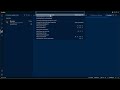


Brand: BlackBox
BlackBox AI Debugging Software empowers developers with advanced automated debugging capabilities, swiftly pinpointing and resolving software issues, enhancing code quality, and accelerating development.
See MoreHave you used BlackBox AI before?
Share your insights for better experience
Brand: BlackBox
Founded Year: 2011
Blackbox is a global founder accelerator based in Silicon Valley.
 Code Automation 20+ Programming Languages Extract Code from Any Video Priority Support Payment Integrations Live Weekly Coding Sessions Web Based IDE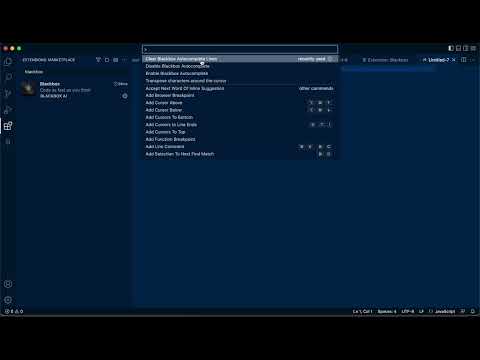

Watch the demo video to explore key features, real workflows, and how the software fits your business needs.
 Windows
  iOS
iOS  Android
  Desktop
  Mobile
  Cloud-Based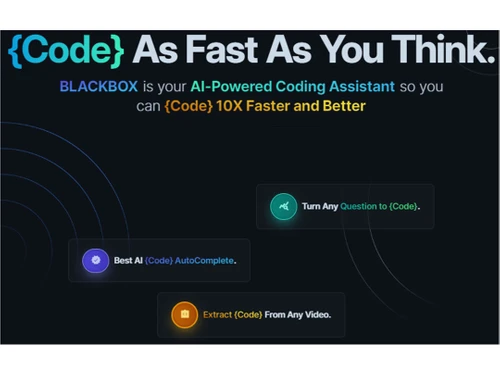
Small Business
Designed for startups and growing businesses
Medium Business
Built for business growth and flexibility
Enterprises
Designed for complex and large-scale business needs
4.7
Out of 5

Overall Rating
Based on
3 Verified Reviews
Rating Breakdown
93% Recommend this Product
Add Review



BlackBox AI
Price On Request
Desktop
Mobile
Web based
On Premises
Windows
Mac OS

Emergent
Price On Request
Desktop
Mobile
Web based
On Premises
Windows
Mac OS

Lovable
Price On Request
Desktop
Mobile
Web based
On Premises
Windows
Mac OS

Cursor
Price On Request
Desktop
Mobile
Web based
On Premises
Windows
Mac OS

Deepcode AI
Price On Request
Desktop
Mobile
Web based
On Premises
Windows
Mac OS

Anima
₹ 1999
Desktop
Mobile
Web based
On Premises
Windows
Mac OS
CodeAnt AI
Price On Request
Desktop
Mobile
Web based
On Premises
Windows
Mac OS

Kodezi
Price On Request
Desktop
Mobile
Web based
On Premises
Windows
Mac OS

ZZZ Code AI
Price On Request
Desktop
Mobile
Web based
On Premises
Windows
Mac OS

Codiga
Price On Request
Desktop
Mobile
Web based
On Premises
Windows
Mac OS

GitHub Copilot
Price On Request
Desktop
Mobile
Web based
On Premises
Windows
Mac OS
(0) Product(s) selected
Starting Price:
$20 /Month
Starting Price:
$25 /Month
Available
Price on Request
Available
Price on Request
Available
Price on Request

Available
Price on Request

Starting Price:
$15 /Month

Starting Price:
$20 /Month

Starting Price:
$19 /Month

Available
Price on Request

Starting Price:
€10 /Month
BlackBox AI software is compatible with all operating systems such as Windows, macOS, linux, etc.
Yes, the BlackBox AI app is available for Android devices.
BlackBox AI Debugging system supports web-based deployment.
BlackBox AI pricing starts at $1 at techjockey.com.
BlackBox AI code generator can be used by app developers, students, teachers, and businesses who need debugging software.
BlackBox AI demo is available for free with techjockey.com.
BlackBox AI offers a free trial.
BlackBox AI is a web-based platform. So, you need not download any software or app to use it.
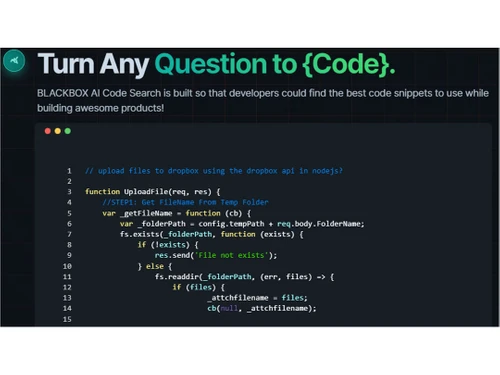
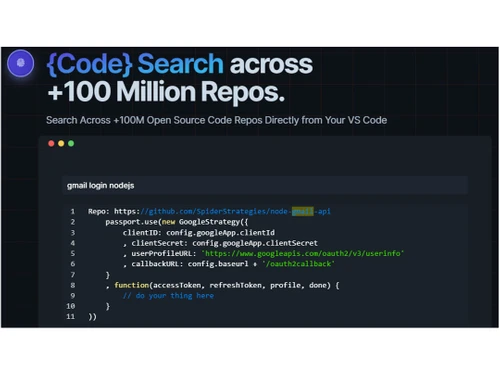
BlackBox AI is a powerful debugging tool designed to aid developers in locating and resolving code issues effectively. Its Code Chat & Search feature enables easy access to top-notch code snippets, streamlining the development process and facilitating the creation of exceptional products.
BlackBox AI can be accessed via Web applications and mobile apps. To use it, first make an account on BlackBox AI. Fill in the basic credentials and then feel free to explore the website.
BlackBox is an AI-powered code assistant that helps its users to develop interactive code. To use it, simply install your preferred IDE, add the extension to the IDE and start coding.
BlackBox AI has been proven to be safe to use but without proper insights, your data could be misused.
Blackbox AI may not be reorganizing your login because of verification code issues, session expiration and browser or cache issues.
12 10
To fix inaccurate code suggestions in Blackbox AI’s:
4 3
Blackbox AI keeps charging you after cancellation due to the inability to remove payment info, insufficient funds retries, poor customer support, and a failed cancellation process.
5 1
Some steps to delete the Blackbox AI account permanently:
2 2
Blackbox AI is consuming credits so quickly because it utilizes multi model architecture, deep re-posting content, and lack of usage transparency.
2 2
20,000+ Software Listed
Best Price Guranteed
Free Expert Consultation
2M+ Happy Customers
Terms and Condtions

Users with registered businesses can purchase goods from merchants on the platform to satisfy their business needs. Users are not permitted to utilize any products acquired through the platform for resale, advertising, business, or further distribution.
For each purchase made, users will receive a Tax Invoice (or 'GST invoice') that includes specific details such as:
the GSTIN of the user associated with their registered business, and
the specified Entity Name for their business.
It should be noted that not all products are eligible for GST Invoice. Only the products displayed by participating sellers with the 'GST-based Invoice Available' callout on the product description page would qualify.
Certain goods and services are not eligible to get a GST Invoice, including items with VAS, i.e., Value Added Services (e.g., Total Mobile Protection/Assured Buyback) and those involving an exchange offer at the time of purchase.
Users must ensure the accuracy of the GSTIN, and business entity name provided for the GST Invoice. Requests for corrections into GST Invoice would not be accommodated by Techjockey.com or any Seller, and any issues arising from user-provided information are the sole responsibility of users.
Techjockey.com is not liable for the GST Invoice or any associated input tax credit. To efficiently claim an input tax credit, users should select the registered place of business address as per the GST authority's data and follow the provisions of the GST Act and rules.
To claim an input tax credit, the delivery and billing addresses must match. Furthermore, input tax credits will not be granted if the delivery address and GSTIN on the invoice are from different states. In case of incorrect GST details provided during the order placement, the order will be canceled automatically.