linkedin
BitDefender Internet Security logo
Bitdefender Internetbitdefender internet security-privacy Security
bitdefender internet security-profile
bitdefender internet security-recommendation

BitDefender Internet Security

Brand: Bitdefender

  • 4.7

  • 5 Ratings & 2 Reviews

Protects Windows PCs from various online threats, including viruses, malware, and ransomware, while offering features like a privacy firewall, secure VPN, and more.

See More

Have you used BitDefender Internet Security before?

Share your insights for better experience

Add a Review
Starting Price 72% OFF
₹280 excl.GST  ₹999
₹ 330 incl. GST

View plans

offer Save upto 18%, Get GST Invoice on your business purchase T&C
offer Buy Now & Pay Later, Check offer on payment page.
Buy Now
100% Genuine
Products
Best Price
Guaranteed
Safe & Secure
Payment
  • Description

  • Pricing

  • Features

  • Specification

  • Review

  • FAQ

Starting at ₹280
Buy Now

BitDefender Internet Security Software Overview

What is BitDefender Internet Security?

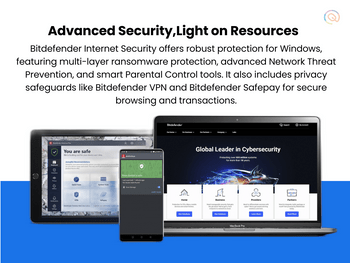
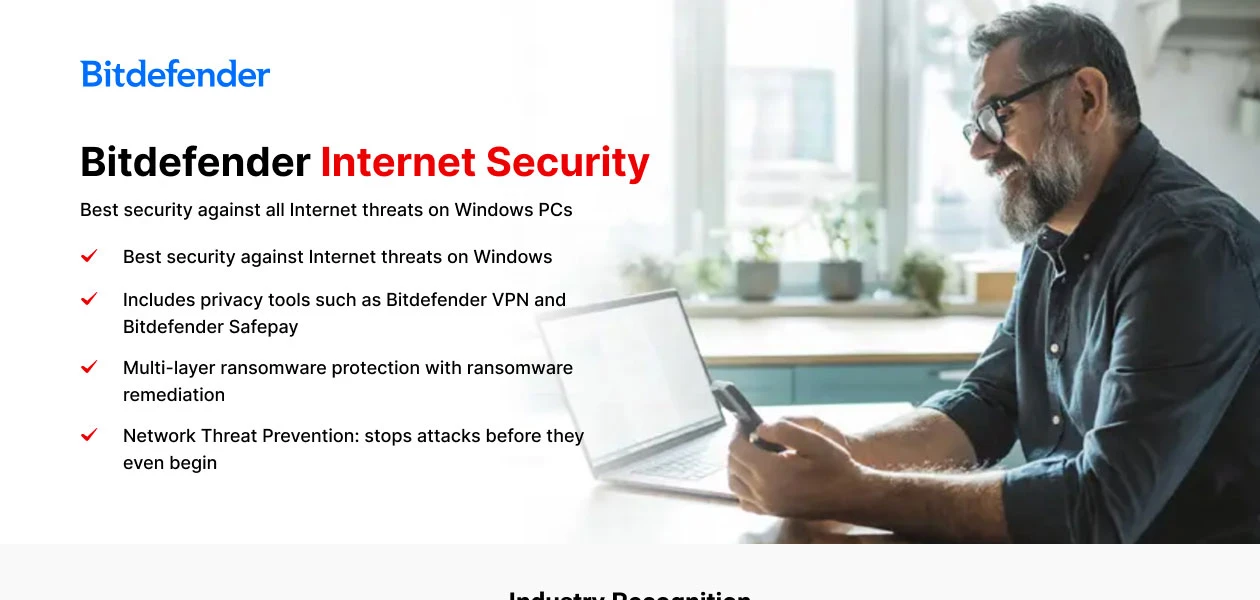
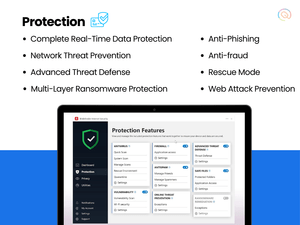
Bitdefender Internet Security is a powerful cyber security software designed to protect Windows PCs from various online threats, including viruses, malware, and ransomware. It offers real-time data protection, ensuring that users are shielded from both new and existing cyber threats. The software includes features like a privacy firewall to block unauthorized access, anti-phishing tools to prevent scams, and a secure VPN for safe browsing. 

Additionally, it provides multi-layer ransomware protection, safeguarding important files from encryption attacks. Bitdefender also has a user-friendly interface that allows easy navigation and management of security settings. With advanced threat detection and behavioral monitoring, it can quickly identify and neutralize suspicious activities.

Why Choose BitDefender Internet Security Software?

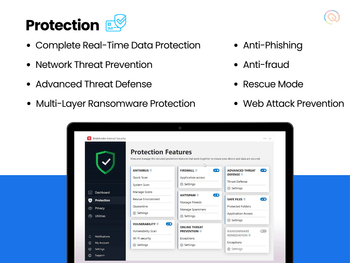
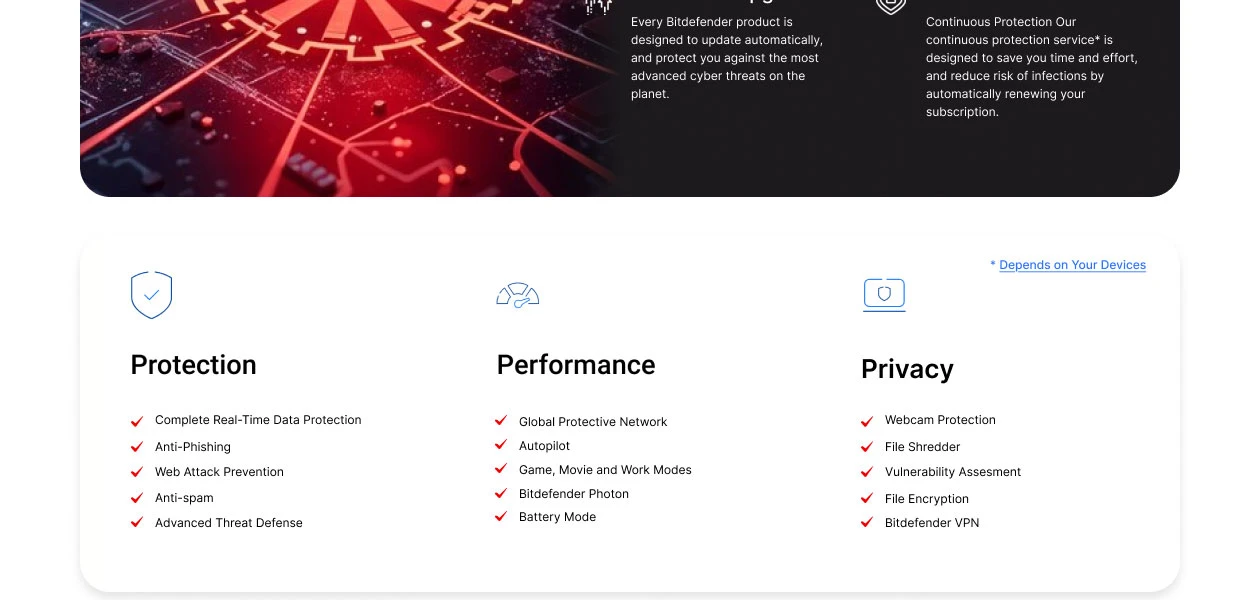
  • Malware Protection: It offers robust protection against various threats, including viruses, ransomware, and spyware, using advanced scanning engines and real-time threat detection to neutralize malware effectively.
  • Real-Time Data Protection: The software provides continuous monitoring and immediate action against potential threats, ensuring that users are protected from new and existing cyber threats as they arise.
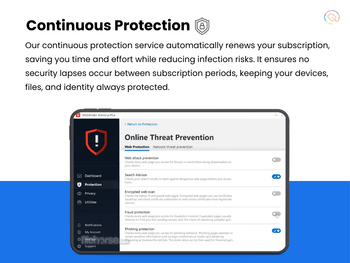
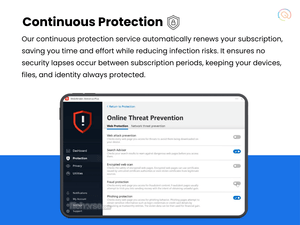
  • Network Threat Prevention: It utilizes advanced cyber threat intelligence to analyze network activities and block sophisticated attacks before they can cause harm.
  • Multi-Layer Ransomware Protection: It includes a dedicated layer of protection that safeguards important files from being encrypted by ransomware, ensuring data security.
  • Minimal System Impact: It is optimized to provide strong security without significantly affecting system performance, making it suitable for gamers and high-performance users.
  • Privacy Features: The software includes tools like a secure VPN for encrypted browsing and anti-phishing features to protect personal information from online scams.
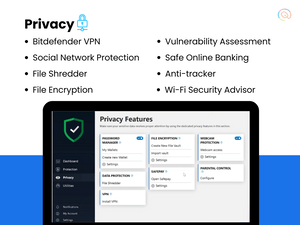
  • Vulnerability Assessment: It can scan for security vulnerabilities in the system, helping users identify outdated software and potential risks.
  • Behavioral Detection Technology: This feature monitors active applications for suspicious behavior, allowing the software to take immediate action against potential threats.

Benefits of BitDefender Internet Security Software

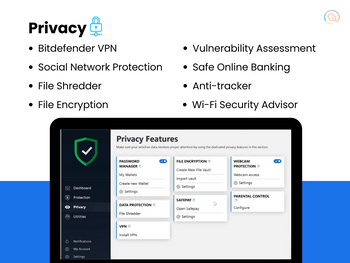
  • Webcam Protection: This feature alerts users when applications attempt to access their webcam, preventing unauthorized surveillance and enhancing privacy.
  • Microphone Monitor: It allows users to see which apps have access to their device's microphone, providing control over audio privacy.
  • Wi-Fi Security Advisor: This tool assesses the security of Wi-Fi networks and routers, helping users identify vulnerabilities when connecting to public or private networks.
  • Social Network Protection: It safeguards users from malicious links shared through social media platforms, reducing the risk of falling victim to scams.
  • File Shredder Tool: This feature ensures that deleted files cannot be recovered, providing a secure way to dispose of sensitive information.
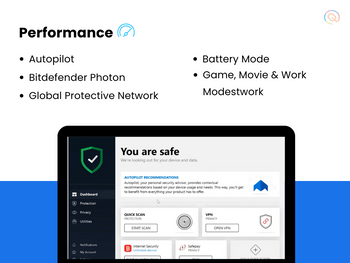
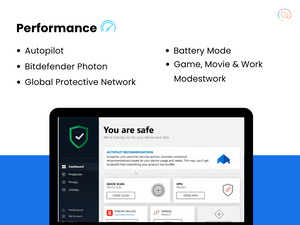
  • Battery Mode for Laptops: This intelligent feature optimizes system settings to extend battery life on laptops and tablets, enhancing usability during travel.
  • Game, Movie, and Work Modes: It automatically detects when users are engaged in these activities and minimizes interruptions by pausing non-essential notifications and background processes.
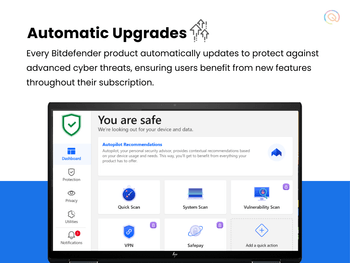
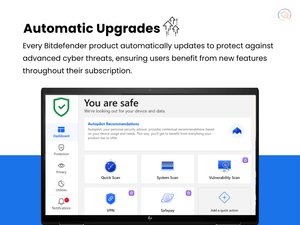
  • Autopilot Feature: It acts as a security advisor, providing recommendations based on user behavior and system needs, simplifying security management.
  • Global Protective Network: Heavy scanning is conducted in the cloud, which reduces the load on local resources and maintains system performance while ensuring privacy.
  • Parental Control Features: These tools help parents monitor and manage their children's online activities by filtering inappropriate content and setting time limits on device usage.

Pricing of BitDefender Internet Security

BitDefender Internet Security price in India starts at ₹190 at techjockey.com.

The pricing model is based on different parameters, including extra features, deployment type, and the total number of users. For further queries related to the product, you can contact our product team and learn more about the pricing and offers.

Read more

Bitdefender Company Details

Founded Year:  2001

Bitdefender is a security technology company that provides advanced threat protection to both business and consumer customers.

Director/Founders Florin TalpeÈ™
Company Size 1000+ Employees

BitDefender Internet Security Pricing & Plans

BitDefender Internet Security
Key Features
  • Best security against Internet threats on Windows
  • Multi-layer ransomware protection
  • Parental Control
  • Network Threat Prevention
  • Comprehensive Support 24/7

Calculated Price

280 ₹999
SAVE UPTO 72%
Exclusive of all taxes
  • Options

    • Licenses

      Licenses
      Licenses
    • Yearly

      Yearly
      Yearly

Key Features

  • Best security against Internet threats on Windows

  • Multi-layer ransomware protection

  • Parental Control

  • Network Threat Prevention

  • Comprehensive Support 24/7

BitDefender Internet Security Features

Core Protection

  • icon_check Real-Time Threat Detection
    Updates instantly on detected risks.
  • icon_check On-Demand & Scheduled Scanning
    Offers flexible scanning options for comprehensive protection.
  • icon_check Multi-Layered Malware Detection
    Identifies and mitigates complex malware threats.
  • icon_check Threat Removal and Quarantine
    Isolates and eliminates detected risks.
  • icon_check Rootkit Detection & Removal
    Ensures hidden threats are addressed.
  • icon_check Exploit Prevention
    Protects against software vulnerabilities.
  • icon_check Behavioral Analysis
    Tracks anomalies in system behavior.
  • icon_check Heuristic Analysis
    Detects new or unknown threats.
  • icon_check Anti-Spyware
    Shields sensitive data from spyware.
  • icon_check USB Protection
    Secures devices from external drives.

Internet & Network Security

  • icon_check IDS / IPS Protection
    Intrusion detection and prevention for network safety.
  • icon_check Firewall Protection
    Blocks unauthorized access.
  • icon_check Email Protection
    Safeguards against malicious email content.
  • icon_check Ad Blocker
    Removes intrusive online advertisements.
  • icon_check Web Protection & URL Filtering
    Prevents access to unsafe websites.
  • icon_check Wi-Fi Security
    Evaluates wireless network vulnerabilities.
  • icon_check Anti-Spam Filters
    Filters spam emails effectively.

Advanced Threat Protection

  • icon_check Ransomware Protection
    Stops ransomware attacks proactively.
  • icon_check File Rollback
    Recovers files affected by ransomware.
  • icon_check Application Whitelisting
    Restricts unauthorized application access.
  • icon_check Behavioral Ransomware Protection
    Detects ransomware based on behavior.

Data Protection and Privacy

  • icon_check Data Encryption
    Secures sensitive information.
  • icon_check Webcam Protection
    Prevents unauthorized access to webcams.
  • icon_check Privacy Control
    Manages digital footprint and privacy settings.
  • icon_check Dark Web Monitoring
    Tracks compromised data on the dark web.
  • icon_check VPN (Virtual Private Network)
    Provides secure browsing and anonymous internet access.
  • icon_check Anti-Phishing & Identity Protection
    Blocks phishing attempts and identity theft.
  • icon_check Browser Privacy Tools
    Enhances safe browsing practices.
  • icon_check Data Shredder
    Deletes files permanently to prevent recovery.
  • icon_check Data Leak Prevention
    Guards against sensitive information breaches.

Device Performance and Optimization

  • icon_check Game Mode
    Optimizes performance for uninterrupted gaming.
  • icon_check Battery Saver
    Reduces power consumption for extended battery life.
  • icon_check Disk Cleanup and Junk File Removal
    Removes junk files for better storage management.
  • icon_check Startup Manager
    Enhances boot times by managing startup apps.
  • icon_check System Optimization Tools
    Improves device performance and speed.
  • icon_check Network Performance Monitor
    Manages bandwidth for optimal network speed.

Family and Parental Controls

  • icon_check Parental Control
    Restricts unsuitable content for kids.
  • icon_check Activity Reports
    Tracks children’s online behavior.
  • icon_check Content Filtering
    Blocks harmful or age-inappropriate material.
  • icon_check App Monitoring
    Monitors app usage.
  • icon_check Geo-Fencing and Location Tracking
    Alerts when a user crosses defined locations.

Backup and Data Recovery

  • icon_check Automatic Backup
    Ensures regular data backups.
  • icon_check Cloud Backup
    Provides secure, remote data storage.
  • icon_check System Restore Options
    Restores the system to a previous safe state.

Administrative Features

  • icon_check Compliance & Reporting
    Ensures adherence to security standards.
  • icon_check Remote Management Console
    Centralizes control over security settings.
  • icon_check User-Friendly Dashboard
    Simplifies navigation for all features.

Alerts & Notifications

  • icon_check Real-Time Threat Alerts
    Instantly notifies when threats are detected.
  • icon_check Suspicious Activity Alerts
    Warns about unusual activities.
  • icon_check Scan Results Notifications
    Provides detailed scan outcomes.
  • icon_check Ransomware Detection Alerts
    Notifies of any ransomware attempts.
  • icon_check Phishing and Malicious Website Warnings
    Alerts against malicious websites.
  • icon_check Webcam and Microphone Access Warnings
    Ensures privacy during device use.
  • icon_check Network Security Alerts
    Tracks intrusions or vulnerabilities.
  • icon_check Location and Geo-Fencing Alerts
    Monitors boundary crossing.
  • icon_check Customizable Notifications
    Tailored alerts for specific needs.
  • icon_check Real-Time Updates
    Keeps security features current.
Product Enrichment Section Image

BitDefender Internet Security Specifications

Supported Platforms
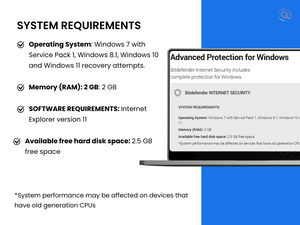
Windows Windows
Devices
Desktop Desktop
Deployment
Perpetual Perpetual
Suitable For
All Industries
Business Specific
All Businesses
Business Size
Small Business Startups Medium Business Enterprises
Customer Support
Email Communities
Language
English
Training Resources
Videos

BitDefender Internet Security Reviews

4.7

Out of 5

img

Overall Rating

Based on
2 Verified Reviews

Rating Breakdown

  • Features 4.4
  • Value for Money 5
  • Ease of Use 4.6
  • Customer Support 4.8

98% Recommend this Product

Add Review

Jassim hyder Arabi

User

Industry: Retail

5

Reviewed on: Oct 2, 2025

Techjockey Verified

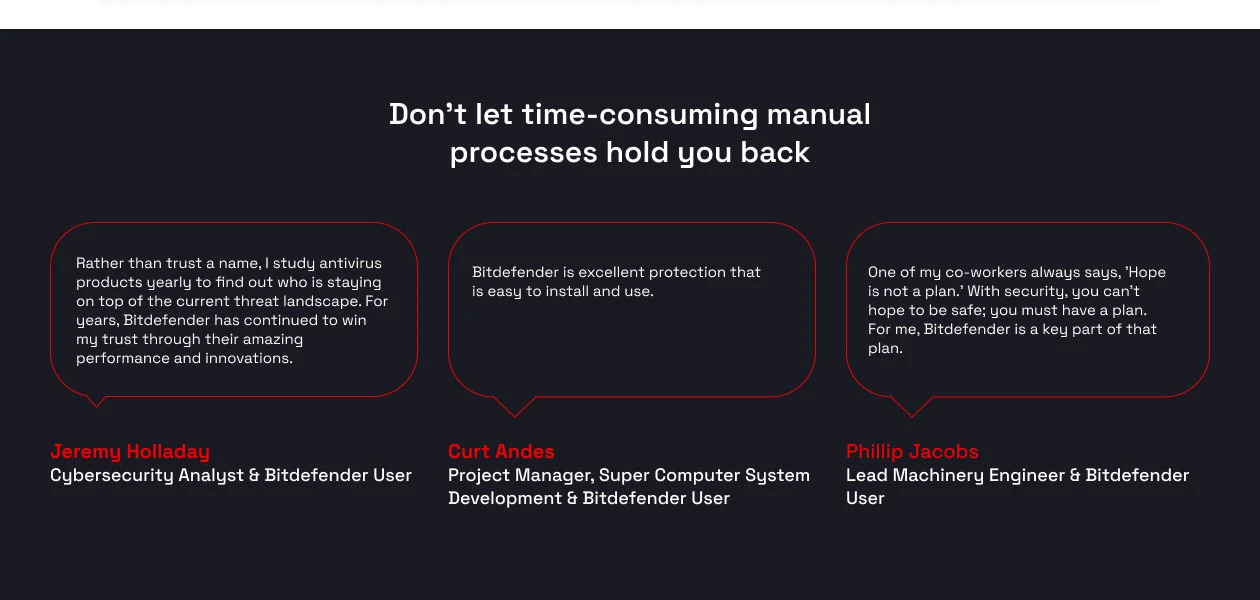
“excellent no words”

Techjockey is a life-saver for those on a tight budget. I highly recommend Bitdefender through them; it's the best lightweight security solution, keeping my laptop fast while effectively blocking and deleting all suspicious threats. Thank you, Techjockey, for your express service.

Pros

really express fast,safe and secure,i used to have a free version

Cons

N cons as of now.

Reason to switch

i love it and been loyalist

Krishanu

Content Writer

Industry: Education

5

Reviewed on: May 25, 2025

Techjockey Verified

“Great Deal on Bitdefender – Highly Recommended!”

BitDefender Internet Security offers robust and reliable protection against a wide range of cyber threats, including viruses, malware, ransomware, and phishing attacks. Its advanced real-time scanning and multi-layered defense system ensure your devices stay secure without compromising performance. The user-friendly interface makes it easy for both beginners and experts to navigate. Plus, features like firewall protection, VPN, and secure browsing add extra layers of security, making it a comprehensive all-in-one solution.

Pros

BitDefender Internet Security offers robust protection with a user-friendly interface that’s perfect for both beginners and advanced users. It provides real-time threat detection, strong malware protection, and minimal impact on system performance. The suite also includes useful features like secure browsing, ransomware protection, and a reliable firewall, making it a comprehensive security solution for everyday internet use.

Cons

BitDefender Internet Security can sometimes slow down older or less powerful systems during full scans. The subscription pricing is a bit higher compared to some competitors, which might not suit all budgets. Additionally, some advanced features can be overwhelming for beginners, and occasional false positives may require manual intervention.

Switched from K7 Antivirus Premium

Reason to switch

I was using K7 Premium before, and while it did the job for basic protection, I felt like it lacked some of the advanced features I needed—especially when it came to web protection and overall system scanning depth. I also noticed my system would slow down during scans. When I saw Bitdefender being offered at just ?99 on techjockey, it felt like the right time to switch. Bitdefender just feels more complete—faster scans, better interface, and overall more reliable performance without taxing my system.

Articles for BitDefender Internet Security

See All Related Articles

What is the cost of BitDefender Internet Security software?

The starting price of BitDefender Internet Security in India is INR 190, as listed on Techjockey.com.

Is there a mobile app available for BitDefender Internet Security?

No, BitDefender Internet Security has no mobile app available.

Which operating systems are compatible with BitDefender Internet Security software?

BitDefender Internet Security is compatible with Windows.

Does BitDefender Internet Security offer a free trial option?

Yes, BitDefender Internet Security offers a free 30-day trial without requiring credit card information.

What is the working mechanism of BitDefender Internet Security software?

BitDefender Internet Security works by continuously scanning your system for malware and other threats, using real-time protection and advanced algorithms to detect and block potential risks.

Who can benefit from using BitDefender Internet Security software?

Individuals, families, and businesses looking for comprehensive protection against online threats can benefit from using BitDefender Internet Security software.

Is a free demo available for BitDefender Internet Security software?

Yes, BitDefender Internet Security offers a free demo upon request.

Is BitDefender Internet Security software available for free?

No, BitDefender Internet Security is not available for free, but it does offer a free trial period to test its features before purchasing.

20,000+ Software Listed

Best Price Guranteed

Free Expert Consultation

2M+ Happy Customers

Terms and Condtions

close

Users with registered businesses can purchase goods from merchants on the platform to satisfy their business needs. Users are not permitted to utilize any products acquired through the platform for resale, advertising, business, or further distribution.

For each purchase made, users will receive a Tax Invoice (or 'GST invoice') that includes specific details such as:

  • the GSTIN of the user associated with their registered business, and

  • the specified Entity Name for their business.

It should be noted that not all products are eligible for GST Invoice. Only the products displayed by participating sellers with the 'GST-based Invoice Available' callout on the product description page would qualify.

Certain goods and services are not eligible to get a GST Invoice, including items with VAS, i.e., Value Added Services (e.g., Total Mobile Protection/Assured Buyback) and those involving an exchange offer at the time of purchase.

Users must ensure the accuracy of the GSTIN, and business entity name provided for the GST Invoice. Requests for corrections into GST Invoice would not be accommodated by Techjockey.com or any Seller, and any issues arising from user-provided information are the sole responsibility of users.

Techjockey.com is not liable for the GST Invoice or any associated input tax credit. To efficiently claim an input tax credit, users should select the registered place of business address as per the GST authority's data and follow the provisions of the GST Act and rules.

To claim an input tax credit, the delivery and billing addresses must match. Furthermore, input tax credits will not be granted if the delivery address and GSTIN on the invoice are from different states. In case of incorrect GST details provided during the order placement, the order will be canceled automatically.