linkedin
AudioTool logo
play Audiotool Basics - Lesson 1-1
audiotool
audiotool dashboard

AudioTool

Brand: AudioTool

  • 3.3

  • 1 Rating & 1 Review

An online audio mixing software that allows users to create, edit, and mix music collaboratively through a user-friendly interface.

See More

Have you used AudioTool before?

Share your insights for better experience

Add a Review

Price Available on Request

Questions about pricing or customization? We’re here to help, just a click away.

100% Genuine
Products
Best Price
Guaranteed
Safe & Secure
Payment
  • Description

  • Pricing

  • Features

  • Specification

  • Review

  • Compare

  • Alternatives

  • FAQ

AudioTool Software Overview

What is AudioTool?

AudioTool is an online audio mixing software designed for music creation and collaboration. It offers a comprehensive suite of virtual instruments, effects, and tools that enable users to compose, edit, and mix audio tracks seamlessly. The platform features an intuitive drag-and-drop interface, making it accessible for beginners while still catering to the needs of experienced producers.

Users can collaborate in real-time, sharing projects and ideas with others, enhancing the creative process. AudioTool supports various audio formats, allowing for easy import and export of tracks. Overall, it’s a powerful tool for musicians and audio enthusiasts looking to produce high-quality sound.

Why Choose AudioTool Software?

  • Browser-Based Access: It operates entirely in your web browser, eliminating the need for installations and allowing access from any device with an internet connection.
  • Collaborative Features: It enables users to collaborate in real-time with others, making it easy to work on projects together, regardless of location.
  • Extensive Library: Users have access to a vast library of over 1,000,000 audio samples and 200,000 device presets, enhancing creativity and production quality.
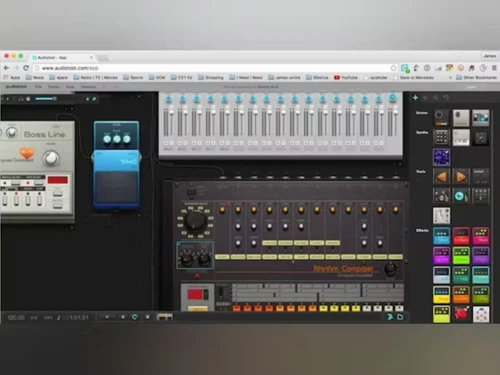
  • User-Friendly Interface: The modular design allows users to easily drag and drop digital instruments and effects, mimicking traditional mixing setups for an intuitive experience.
  • o Physical Equipment eeded: Ideal for beginners or those without access to physical instruments, Audiotool provides all necessary tools online.
  • Community Engagement: Users can share their mixes, receive feedback, and interact with a community of fellow musicians, fostering collaboration and learning.
  • Free to Use: It is available at no cost, making it accessible for anyone interested in music production without financial barriers.

Benefits of AudioTool Software

  • Rich Sound Library: It offers an extensive library of samples and loops, allowing users to enhance their projects with high-quality audio elements.
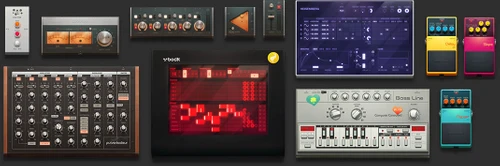
  • Modular Desktop Interface: Users can connect various virtual devices using virtual cables, mimicking a physical studio setup for flexible signal routing.
  • Extensive Library of Instruments: The platform includes a wide range of synthesizers, drum machines, and effects, providing users with numerous sound options.
  • Real-Time Collaboration: Musicians can collaborate with others in real time, enabling joint projects and live jam sessions from different locations.
  • Sample and Preset Library: Audiotool features a vast library of audio samples and user-generated presets, allowing users to enhance their tracks with diverse sounds.
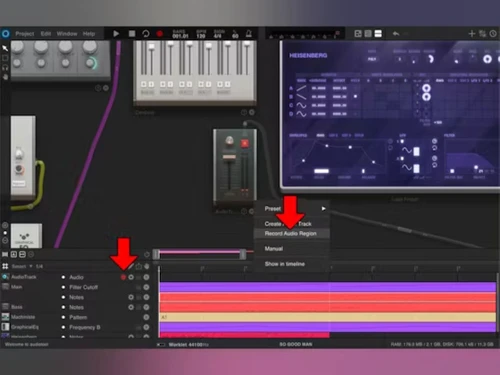
  • Task Automation: Users can automate parameters on devices through automation regions in the timeline, giving them creative control over their mixes.
  • MIDI Support: The software supports MIDI integration, allowing users to connect external instruments for enhanced music production capabilities.
  • Publishing Platform: Users can publish their tracks on the platform, share them with the community, and receive feedback from other musicians.

Pricing of AudioTool

AudioTool price details are available on request at techjockey.com.

The pricing model is based on different parameters, including extra features, deployment type, and the total number of users. For further queries related to the product, you can contact our product team and learn more about the pricing and offers.

Read more

AudioTool Pricing & Plans

Looking for The Right Pricing?

Share your requirements and get a plan built around your business.

  • Define your business needs
  • Get customised pricing
  • Choose features that fit your workflow

Price Available on Request

Get personalised AudioTool pricing that fits your needs. Our team will connect with you.

AudioTool Features

  • icon_check Instruments
    Offers various virtual instruments like synthesizers and drum machines for diverse musical creation.
  • icon_check Mixing
    Provides advanced tools for adjusting levels, panning, and effects to achieve a polished final mix.
  • icon_check Routing
    Allows users to route audio signals between tracks and effects for customized sound design.
  • icon_check Effects
    Includes built-in effects like reverb and delay to enhance sound and add creative elements.
  • icon_check Multiple Audio Format Support
    Supports various audio formats for easy importing and exporting of sound files.
  • icon_check Enhanced Product Visualizer
    Visualizes audio in real-time to aid in mixing decisions based on frequency distribution.
  • icon_check Beat-Based Editing
    Enables editing of audio based on beats and tempo for better alignment and rhythmic composition.
AudioTool Demo Video play icon

Get AudioTool Demo

Watch the demo video to explore key features, real workflows, and how the software fits your business needs.

Understand
Key Features
Personal
Demo Insights
Interactive
Demo Support

AudioTool Specifications

Supported Platforms
Windows Windows
Devices
Desktop Desktop
Deployment
Cloud-Based Cloud-Based
Suitable For
All Industries
Business Specific
All Businesses
Business Size
Small Business Medium Business SMBs
Customer Support
Email
Language
English
Training Resources
In Person

AudioTool Review

3.3

Out of 5

img

Overall Rating

Based on
1 Verified Review

Rating Breakdown

  • Features 3
  • Value for Money 3
  • Ease of Use 3.5
  • Customer Support 4

70% Recommend this Product

Add Review

Rampal Yadav

IT Manager

Industry: Hospitality User since: < 6 months

3.3

Reviewed on: Jun 3, 2023

Techjockey Verified

“Poor Service Teckjockey”

Pros

Purchase TV and audio setup but the delivery was not on time and installation is still pending. Although the Techjockey team was supportive, appreciate it.

Cons

NO CONS

Reason to switch

services very poor for techjockey

Compare AudioTool With other Audio Mixing Software

Products
Ratings
Pricing
Device Supported
Deployment
Supported Platforms
  • img

    AudioTool

  • 3.3

  • Price On Request

  • Desktop

    Mobile

  • Web based

    On Premises

  • Windows

    Mac OS

  • img

    Cubase PRO

  • 4.6

  • ₹ 52320

  • Desktop

    Mobile

  • Web based

    On Premises

  • Windows

    Mac OS

  • img

    MixMeister Express

  • 4.5

  • Price On Request

  • Desktop

    Mobile

  • Web based

    On Premises

  • Windows

    Mac OS

  • img

    Samplitude Pro X5

  • 4.7

  • Price On Request

  • Desktop

    Mobile

  • Web based

    On Premises

  • Windows

    Mac OS

  • img

    Acoustica

  • 4.0

  • Price On Request

  • Desktop

    Mobile

  • Web based

    On Premises

  • Windows

    Mac OS

  • img

    Soundation

  • 4.1

  • Price On Request

  • Desktop

    Mobile

  • Web based

    On Premises

  • Windows

    Mac OS

(2) Product(s) selected

AudioTool Alternatives

See All AudioTool Alternatives

Available

Price on Request

Available

Price on Request

Articles for AudioTool

See All Related Articles

What is the cost of AudioTool Software?

AudioTool pricing details can be obtained upon request at techjockey.com.

Is there a mobile application available for AudioTool Software?

o, AudioTool is a web-based application and does not have a dedicated mobile app.

Which operating systems are compatible with AudioTool Software?

AudioTool is compatible with Windows only.

Does AudioTool Software provide a free trial?

There is no free trial needed, as AudioTool is free to use from the start.

What is the functionality of AudioTool Software?

AudioTool allows users to create, mix, and edit audio tracks collaboratively online.

Who are the target users of AudioTool Software?

AudioTool is designed for musicians, producers, and audio enthusiasts of all skill levels.

Is there a free demo version of AudioTool Software available?

There is no separate demo version of AudioTool, as the full software is available for free.

Is AudioTool Software completely free to use?

Yes, AudioTool Software is entirely free to use without any hidden costs.

Can I save my projects in AudioTool Software?

Yes, users can save their projects online on AudioTool and access them from any device with an internet connection.

Does AudioTool support MIDI instruments?

Yes, AudioTool allows users to connect and use MIDI instruments for music production.

Are there any tutorials available for learning AudioTool?

Yes, AudioTool provides tutorials and guides to help users learn how to use the software effectively.

20,000+ Software Listed

Best Price Guranteed

Free Expert Consultation

2M+ Happy Customers

Terms and Condtions

close

Users with registered businesses can purchase goods from merchants on the platform to satisfy their business needs. Users are not permitted to utilize any products acquired through the platform for resale, advertising, business, or further distribution.

For each purchase made, users will receive a Tax Invoice (or 'GST invoice') that includes specific details such as:

  • the GSTIN of the user associated with their registered business, and

  • the specified Entity Name for their business.

It should be noted that not all products are eligible for GST Invoice. Only the products displayed by participating sellers with the 'GST-based Invoice Available' callout on the product description page would qualify.

Certain goods and services are not eligible to get a GST Invoice, including items with VAS, i.e., Value Added Services (e.g., Total Mobile Protection/Assured Buyback) and those involving an exchange offer at the time of purchase.

Users must ensure the accuracy of the GSTIN, and business entity name provided for the GST Invoice. Requests for corrections into GST Invoice would not be accommodated by Techjockey.com or any Seller, and any issues arising from user-provided information are the sole responsibility of users.

Techjockey.com is not liable for the GST Invoice or any associated input tax credit. To efficiently claim an input tax credit, users should select the registered place of business address as per the GST authority's data and follow the provisions of the GST Act and rules.

To claim an input tax credit, the delivery and billing addresses must match. Furthermore, input tax credits will not be granted if the delivery address and GSTIN on the invoice are from different states. In case of incorrect GST details provided during the order placement, the order will be canceled automatically.