Description
Pricing
Features
Specification
Review
Compare
FAQs
Alternatives
 Get Free Advice
Get Quote




Brand : Adobe


4.3 
6 Ratings
Have Questions?
Starting at
₹ 2754
Save Extra with 2 Offers
 Save upto 18%, Get GST Invoice on your business purchase |
Users with registered businesses can purchase goods from merchants on the platform to satisfy their business needs. Users are not permitted to utilize any products acquired through the platform for resale, advertising, business, or further distribution.
For each purchase made, users will receive a Tax Invoice (or 'GST invoice') that includes specific details such as:
the GSTIN of the user associated with their registered business, and
the specified Entity Name for their business.
It should be noted that not all products are eligible for GST Invoice. Only the products displayed by participating sellers with the 'GST-based Invoice Available' callout on the product description page would qualify.
Certain goods and services are not eligible to get a GST Invoice, including items with VAS, i.e., Value Added Services (e.g., Total Mobile Protection/Assured Buyback) and those involving an exchange offer at the time of purchase.
Users must ensure the accuracy of the GSTIN, and business entity name provided for the GST Invoice. Requests for corrections into GST Invoice would not be accommodated by Techjockey.com or any Seller, and any issues arising from user-provided information are the sole responsibility of users.
Techjockey.com is not liable for the GST Invoice or any associated input tax credit. To efficiently claim an input tax credit, users should select the registered place of business address as per the GST authority's data and follow the provisions of the GST Act and rules.
To claim an input tax credit, the delivery and billing addresses must match. Furthermore, input tax credits will not be granted if the delivery address and GSTIN on the invoice are from different states. In case of incorrect GST details provided during the order placement, the order will be canceled automatically.
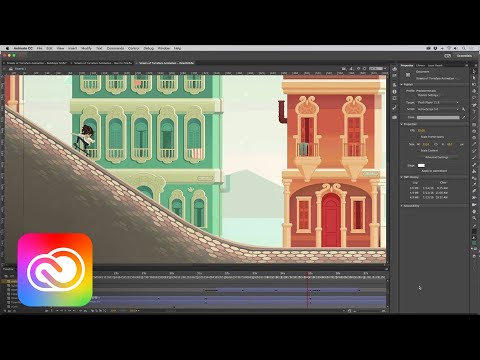
Buy Now & Pay Later, Check offer on payment page. Adobe Animate CC for Teams formerly known as the (Flash pro) is one of the world’s most widely used software for 2D animation. It has been the industry staple since its inception and now has become one of the most sought-after household name for animators across the world. It has some noteworthy ...Read more
 Get Instant Expert
  Safe & Secure
  Assured Best Price
 We make it happen! Get your hands on the best solution based on your needs.
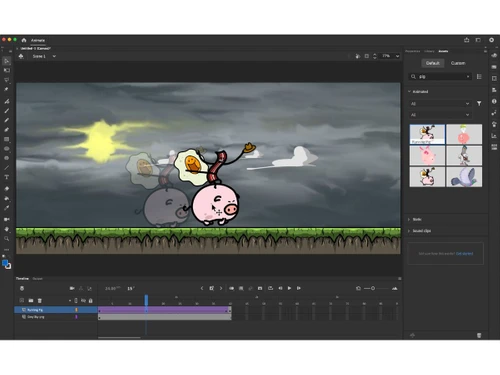
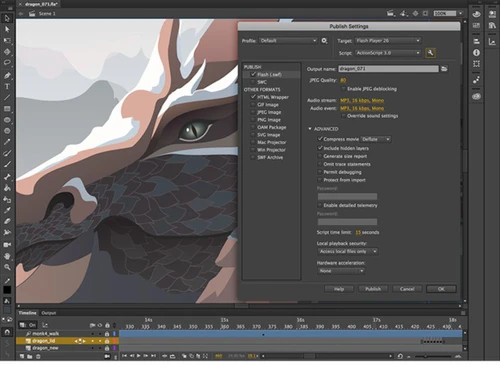
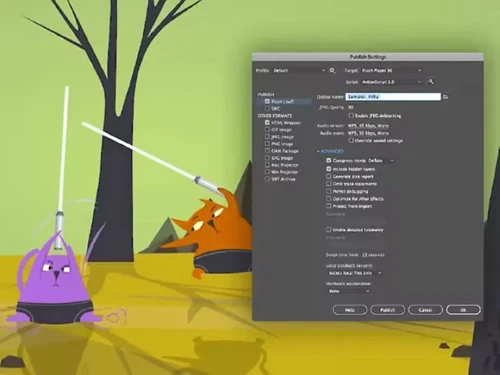
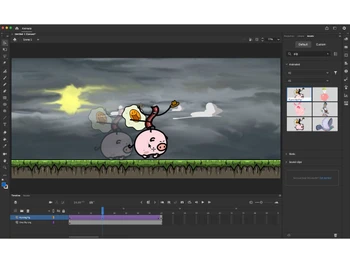
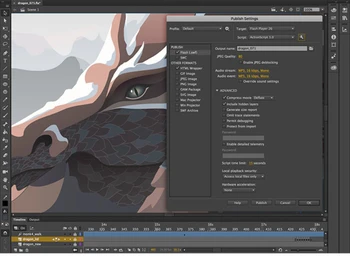
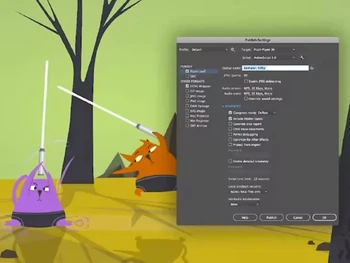
 Vector & Bitmap Animation Tools Animate supports both scalable vector graphics and detailed bitmap images for rich, high-quality animations. Timeline & Keyframe Use an intuitive timeline with keyframes, layers, and frame controls for precise animation sequencing. Motion Tweening & Shape Tweening Create smooth automated movement and shape transitions between keyframes for dynamic motion effects. Frame-by-Frame Animation Draw traditional frame-by-frame sequences when precise hand-drawn motion is needed. Advanced Drawing Tools & Brushes Built in vector brushes, pens, and shapes help you design assets directly inside Animate. Interactive Script Integration Add interactivity through JavaScript or legacy ActionScript for games, apps, and interactive banners. Asset Management & Library Store reusable graphics, symbols, sounds, and components in a centralized library across projects. Video & Animated GIFs Output finished projects as MP4 video or animated GIF for social, presentations, or marketing use. Multi-Plane Depth Effects Simulate dynamic camera motion and depth by adjusting layer depth and panning animation. Integration with Adobe Creative Cloud Apps Seamlessly bring assets from Photoshop, Illustrator, and Adobe Stock into Animate workflows. Audio Sync & Control Add soundtracks and sync audio cues with animation timing for richer multimedia content. Cross-Platform Animation Works on both Windows and macOS, with Creative Cloud licensing enabling mobile asset access.
 | Brand Name | Adobe |
| Information | Adobe is the global leader in digital media and digital marketing solutions. |
| Founded Year | 1982 |
| Director/Founders | Charles Geschke, Jason Lemkin |
| Company Size | 1000+ Employees |
| Other Products | Adobe Creative Cloud for Teams All Apps, Adobe After Effects CC for teams, Adobe InCopy, Adobe Photoshop CC for team, Adobe Illustrator |


 20,000+ Software Listed
 Best Price Guaranteed
 Free Expert Consultation
 2M+ Happy Customers
 USA
USA UAE
UAE