linkedin
Acoustica logo
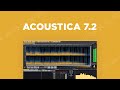
play Discover Acoustica 7.2 - Acoustica Demo
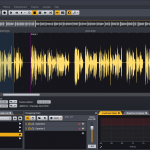
Acoustica audio editing
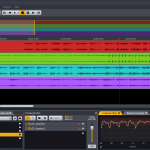
Acoustica multiple audio

Acoustica

Brand: Acoustica

  • 4.0

  • 4 Ratings

Acoustica is a digital audio editing software that allows users to edit, restore, and mix audio tracks with a range of powerful tools.

See More

Have you used Acoustica before?

Share your insights for better experience

Add a Review

Price Available on Request

Questions about pricing or customization? We’re here to help, just a click away.

100% Genuine
Products
Best Price
Guaranteed
Safe & Secure
Payment
  • Description

  • Pricing

  • Features

  • Specification

  • Review

  • Compare

  • Alternatives

  • FAQ

Acoustica Software Overview

What is Acoustica?

Acoustica is a digital audio editing software developed by Acon Digital, available for both Windows and MacOS. It comes in two editions: Standard and Premium. The Standard Edition includes essential tools for mastering, audio restoration, and sound design, while the Premium Edition adds advanced features like spectral editing and support for multi-channel audio.

The key functionalities of this audio mixing software include single track clip editing, multitrack sessions, and batch processing. Users can record audio at high resolutions (up to 32 bit and 192 kHz) and analyze their output with real-time tools like level metering and spectrum analysis. Acoustica also supports a large collection of plug-ins, enhancing its versatility for various audio projects.

Why Choose Acoustica Software?

  • Powerful Audio Editing: It provides advanced tools for audio editing, allowing users to work with high-quality sound and perform precise modifications.
  • Multitrack Editing: Users can edit multiple audio tracks simultaneously, making it easier to create complex mixes and arrangements.
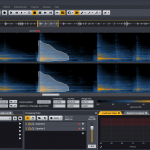
  • Audio Restoration Tools: The software includes features for restoring and enhancing audio quality, such as noise reduction and spectral editing, which are ideal for post-production work.
  • High-Resolution Support: It supports audio resolutions up to 32-bit and sampling rates up to 384 kHz, ensuring professional-grade audio quality.
  • Real-Time Effects: Users can apply effects in real-time, enabling instant feedback and adjustments during the mixing process.
  • Flexible User Interface: The interface is customizable, allowing users to arrange tools and windows according to their workflow preferences.

Benefits of Acoustica Software

  • Affordable Pricing: It offers competitive pricing compared to other professional audio mixing and video editing software, making it accessible for independent musicians and content creators.
  • VST/AU Plugin Support: It supports a wide range of VST and AU plugins, allowing users to expand their audio processing capabilities and enhance their projects with additional effects and instruments.
  • High-Quality Audio Processing: It provides high-resolution audio processing, ensuring that users achieve professional-grade sound quality for their recordings and mixes.
  • Batch Processing: The software allows for batch processing of audio files, enabling users to apply effects or edits to multiple tracks at once, saving time and improving efficiency.
  • Customizable Workspaces: Users can customize their workspace layout to fit their workflow preferences, enhancing productivity and ease of use.
  • Tutorials and Resources: It offers a wealth of tutorials and resources to help users learn the software quickly and make the most of its features.

Pricing of Acoustica

Acoustica price details are available on request at techjockey.com.

The pricing model is based on different parameters, including extra features, deployment type, and the total number of users. For further queries related to the product, you can contact our product team and learn more about the pricing and offers.

Read more

Acoustica Pricing & Plans

Looking for The Right Pricing?

Share your requirements and get a plan built around your business.

  • Define your business needs
  • Get customised pricing
  • Choose features that fit your workflow

Price Available on Request

Get personalised Acoustica pricing that fits your needs. Our team will connect with you.

Acoustica Features

  • icon_check Audio Recording
    Capture high-fidelity audio from vocals and instruments.
  • icon_check Audio Playback
    High-quality playback for accurate mix monitoring.
  • icon_check Audio Channels
    Manage and mix multiple audio sources independently.
  • icon_check Sample Rate
    Choose resolution options for audio recordings affecting quality and size.
  • icon_check Drag & Drop
    Easily import and arrange audio files using a drag-and-drop interface.
  • icon_check Multitrack MIDI Editing
    Edit multiple MIDI tracks at once for complex compositions.
  • icon_check Audio Processing
    Use tools like EQ, compression, and reverb to enhance sound quality.
  • icon_check Audio Restoration
    Clean up tracks by removing noise and artifacts for clarity.
  • icon_check Audio Effects
    Apply built-in effects to enhance sound and create unique textures.
  • icon_check Supports a variety of File Formats
    Compatible with formats like WAV, MP3, and AIFF for easy file management.
Acoustica Demo Video play icon

Get Acoustica Demo

Watch the demo video to explore key features, real workflows, and how the software fits your business needs.

Understand
Key Features
Personal
Demo Insights
Interactive
Demo Support

Acoustica Specifications

Supported Platforms
Windows Windows
Devices
Desktop Desktop
Deployment
Perpetual Perpetual
Suitable For
All Industries
Business Specific
All Businesses
Customer Support
Email
Language
English
Training Resources
Documentation Videos

Acoustica Review

4.0

Out of 5

img

Overall Rating

Based on
4 Verified Ratings

Rating Breakdown

  • Features 4
  • Value for Money 3.7
  • Ease of Use 4.6
  • Customer Support 3.8

90% Recommend this Product

Add Review

Techjockey Trusted Reviews from Verified Users

No reviews are currently available for Acoustica. Discover similar Audio Mixing Software reviews

  • Cubase PRO

    4.7

    Whats great - Cubebase pro comes with a excellent features. The great thing is that there updates are always so amazing. I curiously waits ... read more

  • Samplitude Pro X5

    4.8

    Whats great - I like the workflow. I like the fact it includes the master chain like fl studio, studio one to project panel it doesn't give... read more

  • AudioTool

    3.4

    Whats great - Purchase TV and audio setup but the delivery was not on time and installation is still pending. Although the Techjockey team ... read more

Compare Acoustica With other Audio Mixing Software

Products
Ratings
Pricing
Device Supported
Deployment
Supported Platforms
  • img

    Acoustica

  • 4.0

  • Price On Request

  • Desktop

    Mobile

  • Web based

    On Premises

  • Windows

    Mac OS

  • img

    Cubase PRO

  • 4.6

  • ₹ 52320

  • Desktop

    Mobile

  • Web based

    On Premises

  • Windows

    Mac OS

  • img

    MixMeister Express

  • 4.5

  • Price On Request

  • Desktop

    Mobile

  • Web based

    On Premises

  • Windows

    Mac OS

  • img

    Samplitude Pro X5

  • 4.7

  • Price On Request

  • Desktop

    Mobile

  • Web based

    On Premises

  • Windows

    Mac OS

  • img

    Soundation

  • 4.1

  • Price On Request

  • Desktop

    Mobile

  • Web based

    On Premises

  • Windows

    Mac OS

  • img

    AudioTool

  • 3.3

  • Price On Request

  • Desktop

    Mobile

  • Web based

    On Premises

  • Windows

    Mac OS

(0) Product(s) selected

Acoustica Alternatives

See All Acoustica Alternatives

Available

Price on Request

Available

Price on Request

Articles for Acoustica

See All Related Articles

How much does Acoustica Software cost?

Price details for Acoustica are available upon request at techjockey.com.

Is there any Acoustica Software app?

Yes, Acoustica does not offer a software app.

Which operating system does Acoustica Software support?

Acoustica Software supports Windows only.

Does Acoustica offer a free trial?

Yes, Acoustica Software provides a free trial period for users to test its features before purchasing.

How does Acoustica Software work?

Acoustica software works by providing users with a digital audio editing platform that allows for recording, editing, mixing, and restoring audio tracks using various tools and effects in real-time.

Who are the potential users of Acoustica Software?

Potential users of Acoustica include musicians, audio engineers, podcasters, and content creators seeking to produce high-quality audio and video.

Is there any free demo for Acoustica Software?

Yes, Acoustica offers a demo version that allows users to explore its features before committing to a purchase.

Is Acoustica Software free?

o, Acoustica Software is not free; it requires a purchase after the trial or demo period ends.

Can Acoustica Software be used for live performances?

Yes, Acoustica Software can be used for live performances, providing real-time audio processing and playback capabilities.

Does Acoustica Software support external audio interfaces?

Yes, Acoustica Software is compatible with a wide range of external audio interfaces for enhanced recording and playback quality.

20,000+ Software Listed

Best Price Guranteed

Free Expert Consultation

2M+ Happy Customers

Terms and Condtions

close

Users with registered businesses can purchase goods from merchants on the platform to satisfy their business needs. Users are not permitted to utilize any products acquired through the platform for resale, advertising, business, or further distribution.

For each purchase made, users will receive a Tax Invoice (or 'GST invoice') that includes specific details such as:

  • the GSTIN of the user associated with their registered business, and

  • the specified Entity Name for their business.

It should be noted that not all products are eligible for GST Invoice. Only the products displayed by participating sellers with the 'GST-based Invoice Available' callout on the product description page would qualify.

Certain goods and services are not eligible to get a GST Invoice, including items with VAS, i.e., Value Added Services (e.g., Total Mobile Protection/Assured Buyback) and those involving an exchange offer at the time of purchase.

Users must ensure the accuracy of the GSTIN, and business entity name provided for the GST Invoice. Requests for corrections into GST Invoice would not be accommodated by Techjockey.com or any Seller, and any issues arising from user-provided information are the sole responsibility of users.

Techjockey.com is not liable for the GST Invoice or any associated input tax credit. To efficiently claim an input tax credit, users should select the registered place of business address as per the GST authority's data and follow the provisions of the GST Act and rules.

To claim an input tax credit, the delivery and billing addresses must match. Furthermore, input tax credits will not be granted if the delivery address and GSTIN on the invoice are from different states. In case of incorrect GST details provided during the order placement, the order will be canceled automatically.